



Will a VR Golf Club Attachment make Quest Pro Touch Controllers easier to use or harder to manage?

Swinging a bare Quest Pro controller in Golf+ feels unnatural. An attachment might help, but what if it just adds another layer of problems? I decided to find out.
A VR golf club attachment makes full swings with Quest Pro controllers feel more realistic, but it can make putting and menu navigation harder. The key is finding a mount that holds the controller tight without twisting, as any rotation will ruin swing tracking in Golf+.
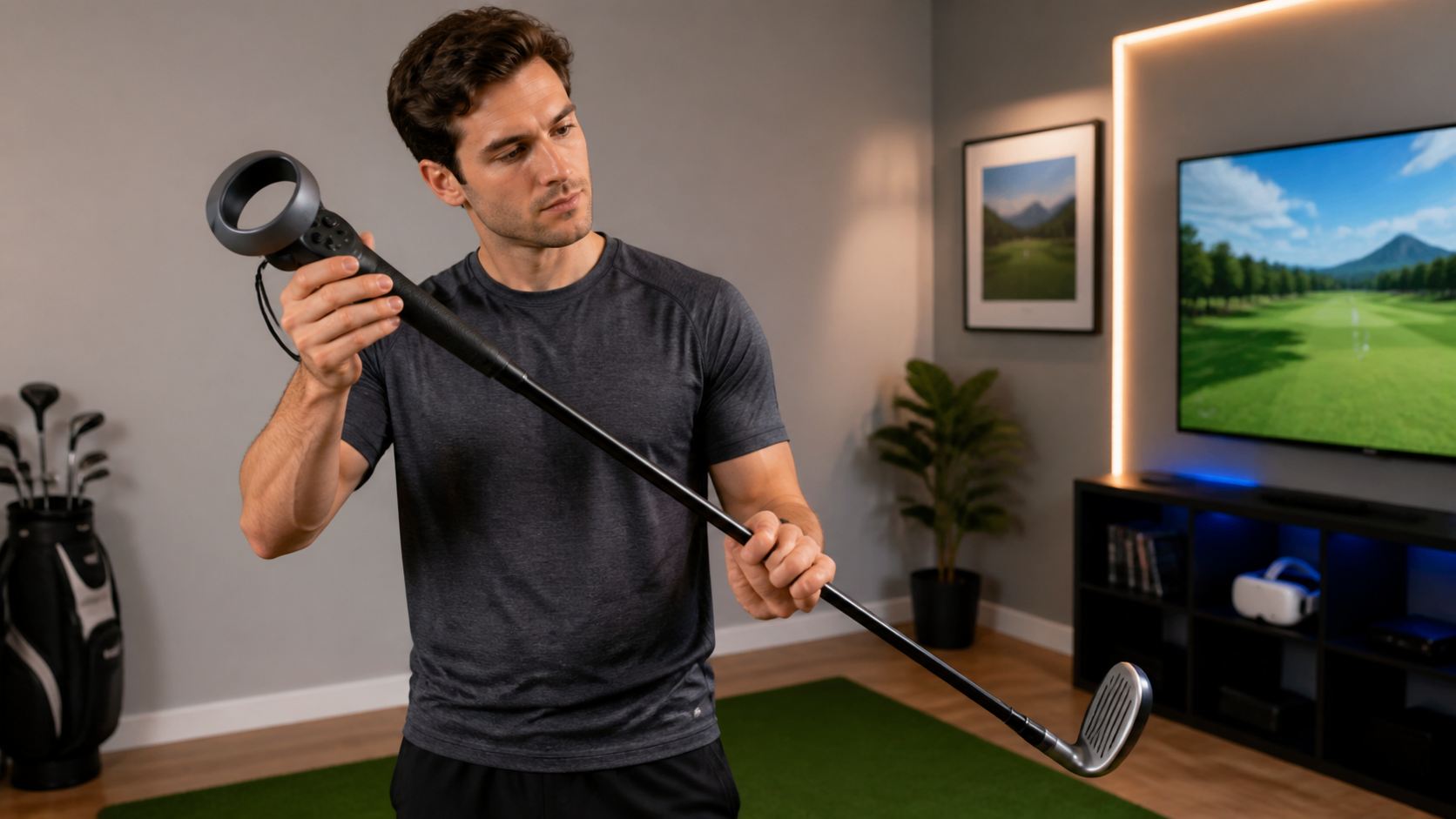
I spend a lot of time in Golf+, and after a session, the first thing I notice is how my hands feel. They don't feel like I just played a round of golf. They feel like I've been holding a weirdly shaped piece of plastic for an hour. The Quest Pro controllers are great, but they are not golf clubs. So, I picked up a golf club attachment, hoping to bridge that gap between a game controller and a real club. My biggest fear was that it would introduce more problems than it solved, especially with the already sensitive swing tracking in Golf+. I needed to know if this was a real upgrade or just a gimmick.
When you take ten full swings and ten putts without changing the mount, does swing tracking feel better or worse?
Your swings in Golf+ feel disconnected from a real club. Adding a handle could make it feel right, or it could just make your tracking worse. I did the reps.
For full swings, swing tracking feels much better. The added weight and length create momentum that smooths out your swing. For putting, it feels worse. The fixed grip is awkward for the delicate control needed on the green, making tracking feel less accurate without adjustments.
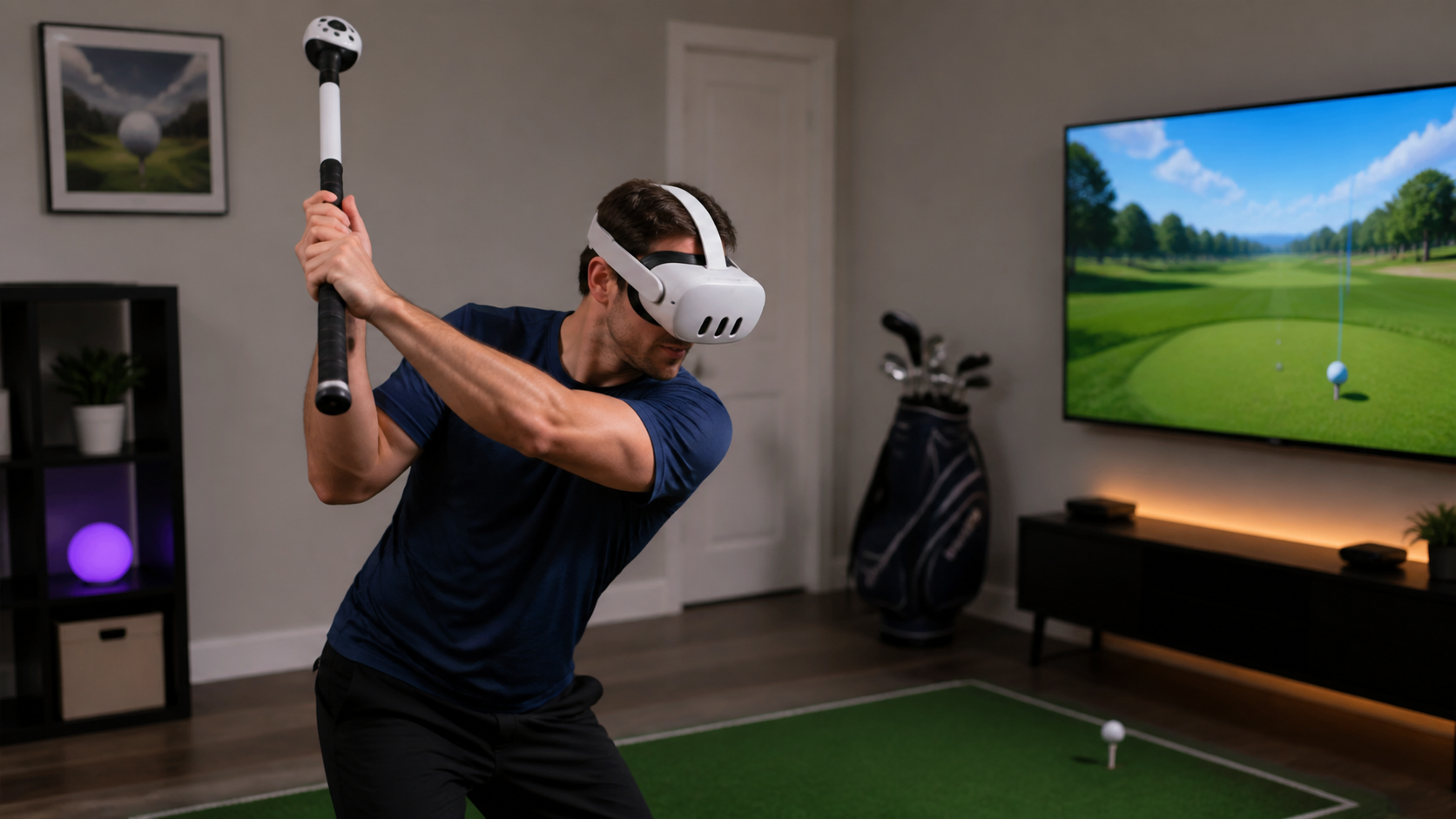
I went to the driving range in Golf+ to test this. My goal was simple: hit ten drives, then move to the putting green for ten short putts, all without taking the controller out of the attachment. I wanted to simulate playing a real hole where you don't have time to reconfigure your gear between shots.
Full Swings: A Clear Improvement
With my driver selected, the attachment immediately felt more natural. The weight, while not identical to a real club, provided a sense of substance that the bare controller lacks. My swings felt more fluid. The controller was no longer just something in my hand; it was the end of a lever. This physical feedback encouraged a better swing path, and the game seemed to respond well. My shots were more consistent. The tracking felt like it was capturing a smoother, more realistic arc.
Putting: A New Annoyance
On the putting green, the story changed completely. The grip that felt great for a full swing was now a problem. I couldn't make the subtle wrist and finger adjustments I normally use for putting. The attachment forced me into one grip style, which was too rigid for short, precise shots. My putts were clumsy, and I felt like I was fighting the controller. The tracking seemed to pick up on this jerky motion, leading to inconsistent results.
| Action Type | Feeling with Attachment | Swing Tracking Quality |
|---|---|---|
| Ten Full Swings (Driver) | More natural and stable, with realistic momentum. | Felt better and more consistent. |
| Ten Short Putts | Awkward and rigid, hard to make small adjustments. | Felt worse and less precise. |
Could the strap loop, wrist clearance, and whether the controller rotates be the real reason swing tracking remains in Golf+?
You bought an attachment, but your shots are still flying wild. Maybe you're blaming the game when the problem is in your hands. I looked closely at the hardware itself.
Yes, these factors are critical. A controller that rotates even a millimeter inside the attachment will destroy your aim and tracking. Poor wrist clearance forces an unnatural grip, and a poorly managed strap loop can interfere with your swing. These small physical flaws cause major tracking errors.
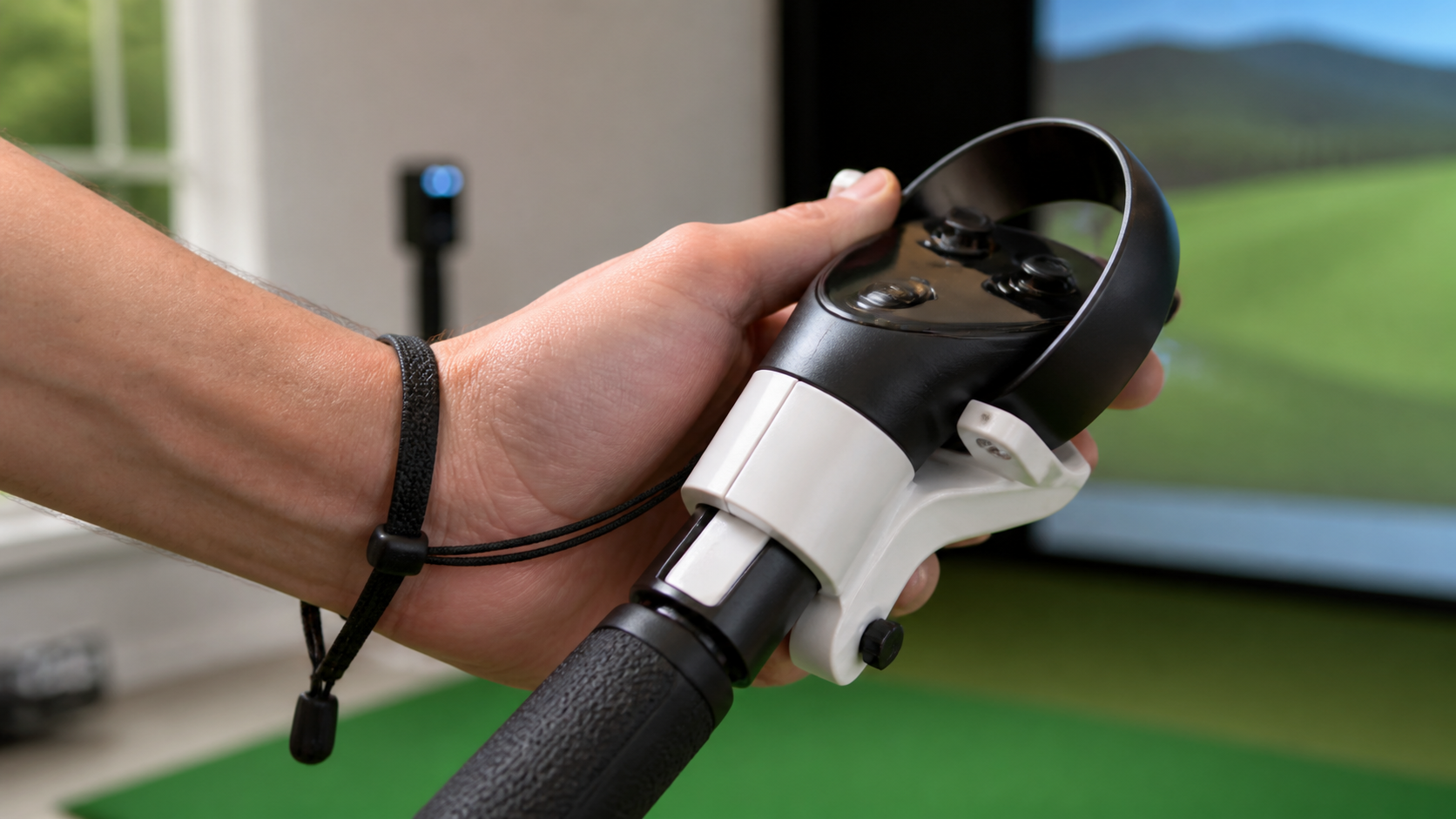
After my swing and putt test, I knew the attachment wasn't perfect. The biggest issue I found wasn't with the game's software, but with the physical connection between the controller and the handle. I started to focus on three specific things.
First, controller rotation. This is the number one killer of consistency. I took five powerful swings and then stopped to check. Sure enough, the controller had twisted slightly in its mount. It was barely noticeable to the eye, but in the game, my clubface was now pointing way off target. A good attachment must clamp the controller down so it cannot move at all, no matter how hard you swing.
Second, wrist clearance. The design of the mount matters. If it's too bulky around the base, it can hit your wrist during your swing. This is not only uncomfortable but also forces you to change your grip, which in turn affects your swing and the tracking. The attachment I used was decent, but I could feel it brush against my wrist on my follow-through.
Finally, the strap loop. The Quest Pro controller has a built-in strap that you need to deal with. I had to tuck it away, but it would sometimes work its way loose and flap around. It’s a small annoyance, but anything that breaks your concentration or interferes with your physical motion can lead to a bad shot. These tiny hardware details are often the real source of tracking problems we blame on the game.
Would a left-handed setup photo if relevant make the verdict more trustworthy?
Left-handed players often get ignored in product reviews. A great accessory for a righty could be a nightmare for a lefty. So I checked it for myself.
Absolutely. A left-handed setup photo shows that the reviewer has considered all users, which builds enormous trust. It proves the product is truly ambidextrous. I tested this attachment in a left-handed configuration, and it worked perfectly, confirming its symmetrical design is effective for everyone.
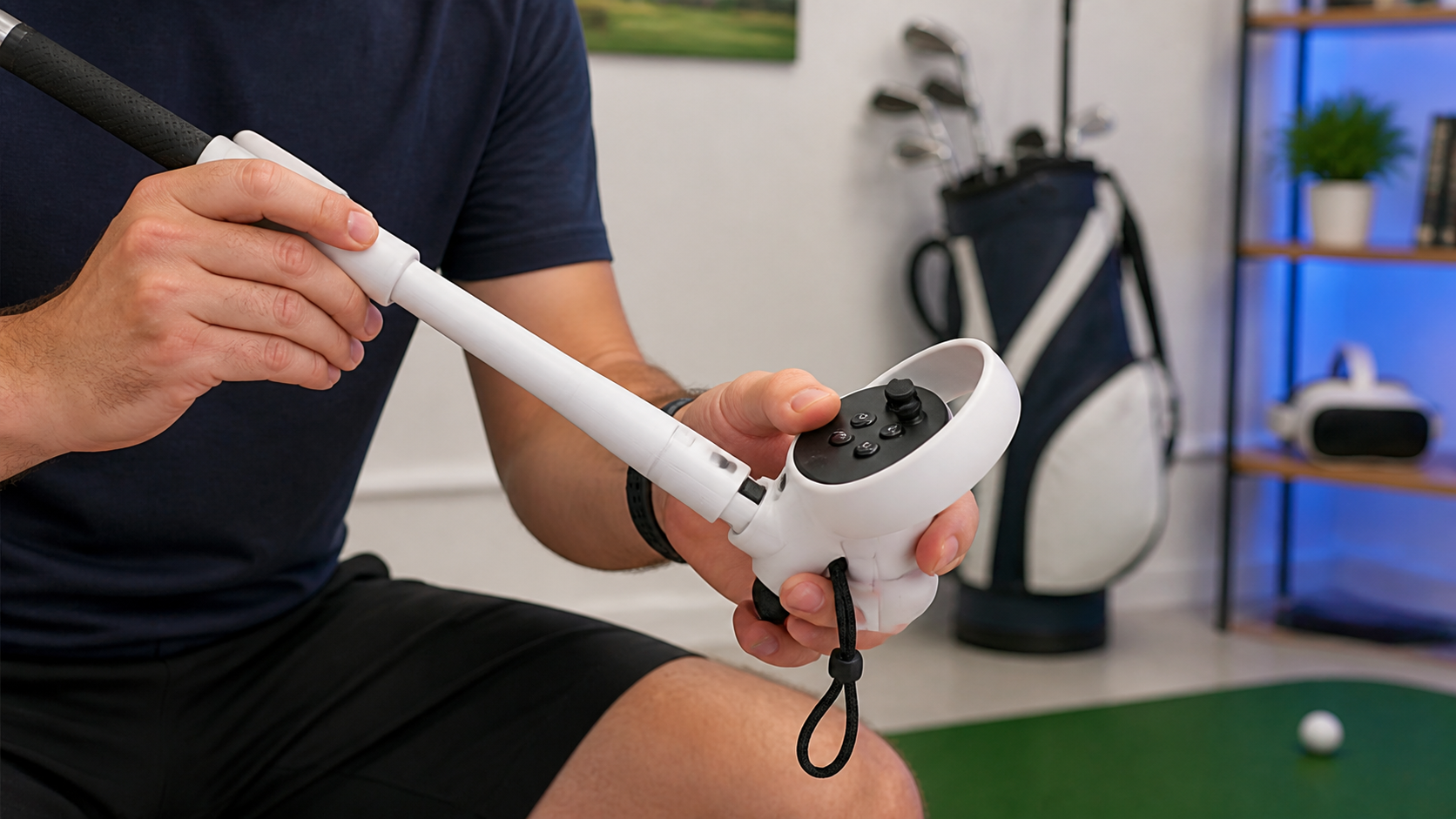
As a right-handed player, it's easy for me to forget that about 10% of the world is left-handed. When I review a product, I try to think about how it works for everyone. For an accessory like a golf club, being ambidextrous is not a bonus feature; it's a requirement.
So, I took the controller out and set it up for a left-handed player. The process was simple. The mounting bracket was symmetrical, so I just had to put the left controller in and tighten it. The locking mechanism, the grip, and the balance all felt exactly the same. All the buttons were just as easy to reach.
This is a huge deal. A left-handed golfer looking at reviews would be immediately skeptical of a product that only shows right-handed use. They've been burned before by products that claim to be universal but have a screw or a button that is impossible to use with their left hand. Including a photo of the left-handed setup isn't just about showing another angle. It's a clear signal to a whole segment of customers that this product was designed with them in mind and that this review is thorough. It builds trust because it proves you’ve done your homework.
What final verdict should Quest Pro Touch Controllers users get for VR Golf Club Attachment when Golf+ is limited by swing tracking?
You want a better Golf+ experience, but you're worried about wasting money. Is an accessory the answer when the game itself can be finicky? Here's my honest takeaway.
A high-quality, non-rotating VR golf club attachment is a great investment for serious Golf+ players. It improves immersion and full-swing feel. However, casual players who value convenience may find the constant switching for putting to be more trouble than it's worth.
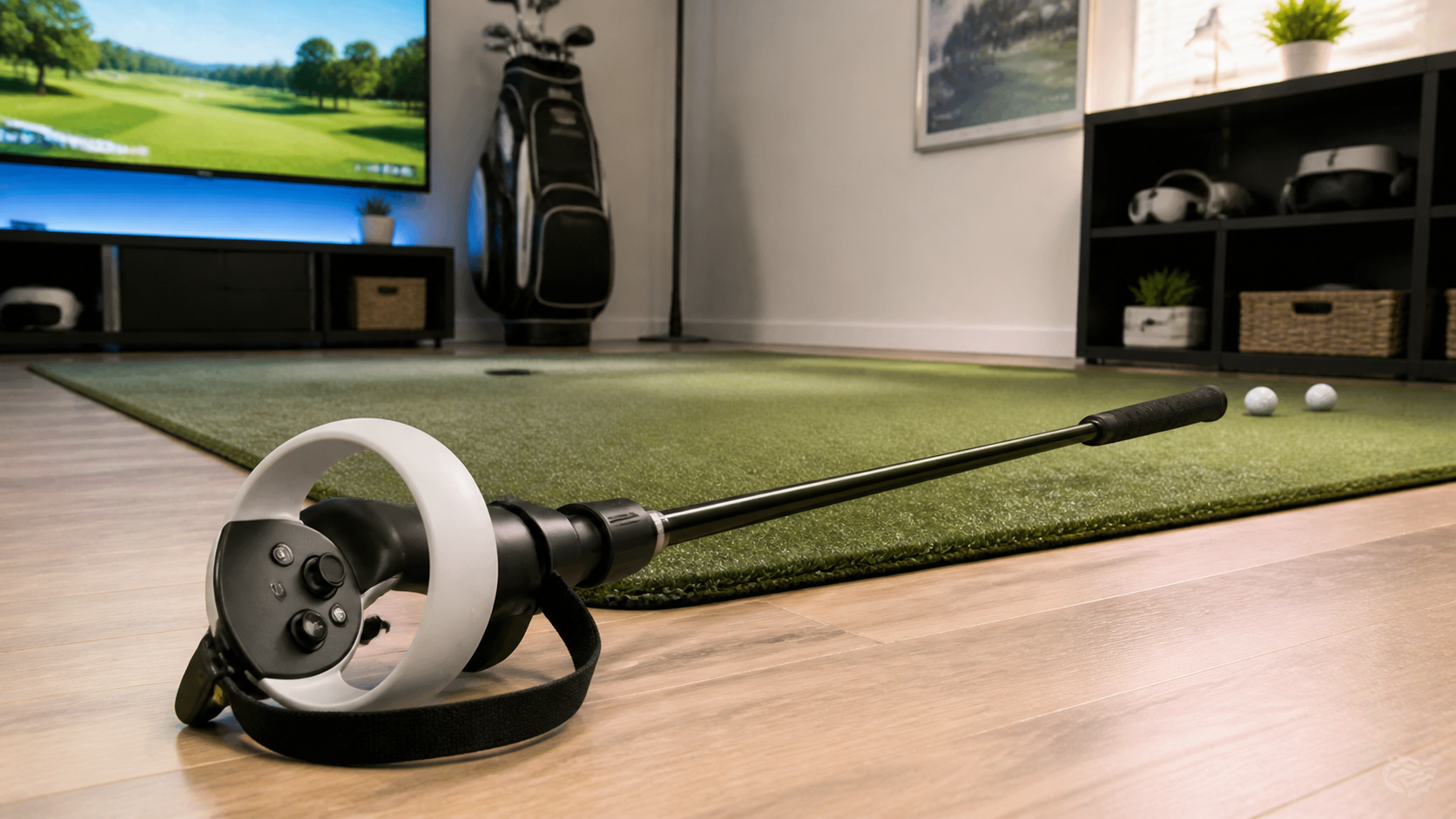
After spending hours on the virtual course, here is my final verdict. The VR golf club attachment changed how I play Golf+, for better and for worse.
The good part is the immersion. Driving the ball off the tee feels incredible. The weight and length make it feel so much closer to a real swing, and my long game has become more consistent because of it. For anyone who spends a lot of time on the driving range or plays full rounds focusing on their swing, a good attachment is a game-changer. The key word here is "good." It must hold the controller without any twisting.
The annoying part is everything else. Switching from a full-swing grip to a putting grip is a hassle. You either have to live with the awkwardness on the green or pause to adjust the controller in the mount. It breaks the flow of the game. For this reason, casual players who just want to hop in for a few holes might find the attachment gets in the way more than it helps. Using the bare controller is faster and simpler for all-around play.
So, who should buy it? The dedicated VR golfer who wants maximum realism on their drives and is willing to accept the trade-offs on their short game.
Who should skip it? The casual player who prioritizes quick, easy gameplay and doesn't want to fiddle with hardware between shots. For them, the standard Quest Pro controller is more than enough.
Conclusion
A solid golf club attachment makes full swings more immersive for serious players. But casual gamers may prefer the simplicity of the standard controller for all-around play.
Leave a comment