



Is trip hazards a setup problem or a product problem with VR Mat?

You keep tripping over the edge of your VR mat. It was meant to make you safer, but now it just feels like another obstacle in your playspace.
Trip hazards with a VR mat are mostly a setup problem, caused by placing it on the wrong surface or not letting it flatten. But a poor product design, like a weak center cue or flimsy edges, makes the setup problem much worse, especially during intense games.
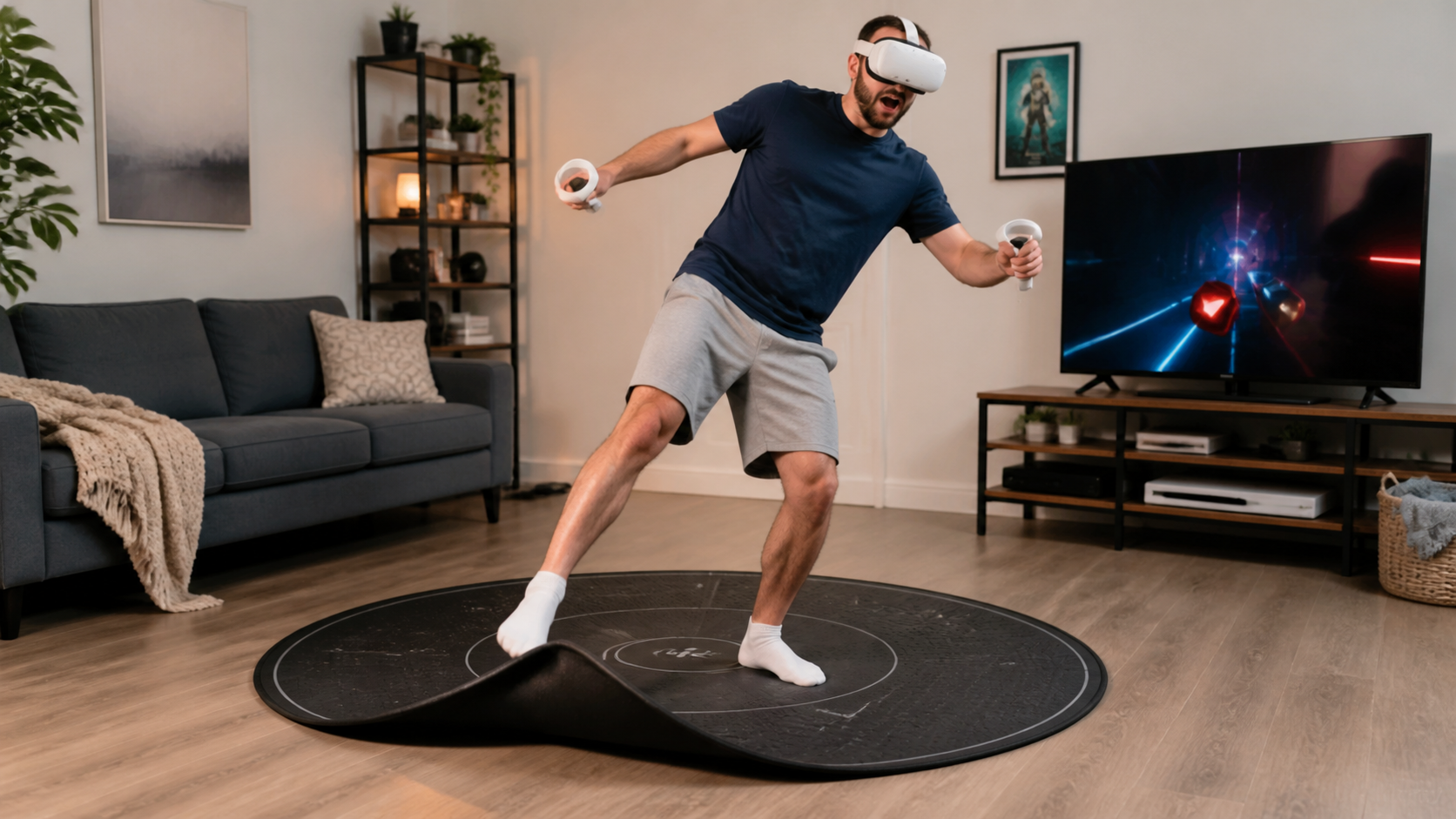
I hit a wall for the last time. My Quest Touch Plus controllers are great, but my spatial awareness is not. I bought a VR mat hoping it would keep me centered and safe, especially with kids running around and leaving toys everywhere. But in fast games like Beat Saber and Gorilla Tag, I found myself stumbling on the mat's edge. Was this mat a failed product, or did I just set it up wrong? I decided to run my own test. I play aggressive, high-movement games, so I needed to know if this accessory was a help or a hazard. My goal was to figure out the real source of the problem and see if I could fix it.
When you test the mat on carpet, wood, or tile if possible, does trip hazards feel better or worse?
You want to use your VR mat in different rooms. But you worry if it will lie flat on a new floor or just become a new way to fall.
Trip hazards felt much worse on my thick carpet. The mat’s edges never lay completely flat and created a lip. On hardwood and tile, the mat gripped the surface, and the edges were flush. The floor type is the biggest factor for mat safety.
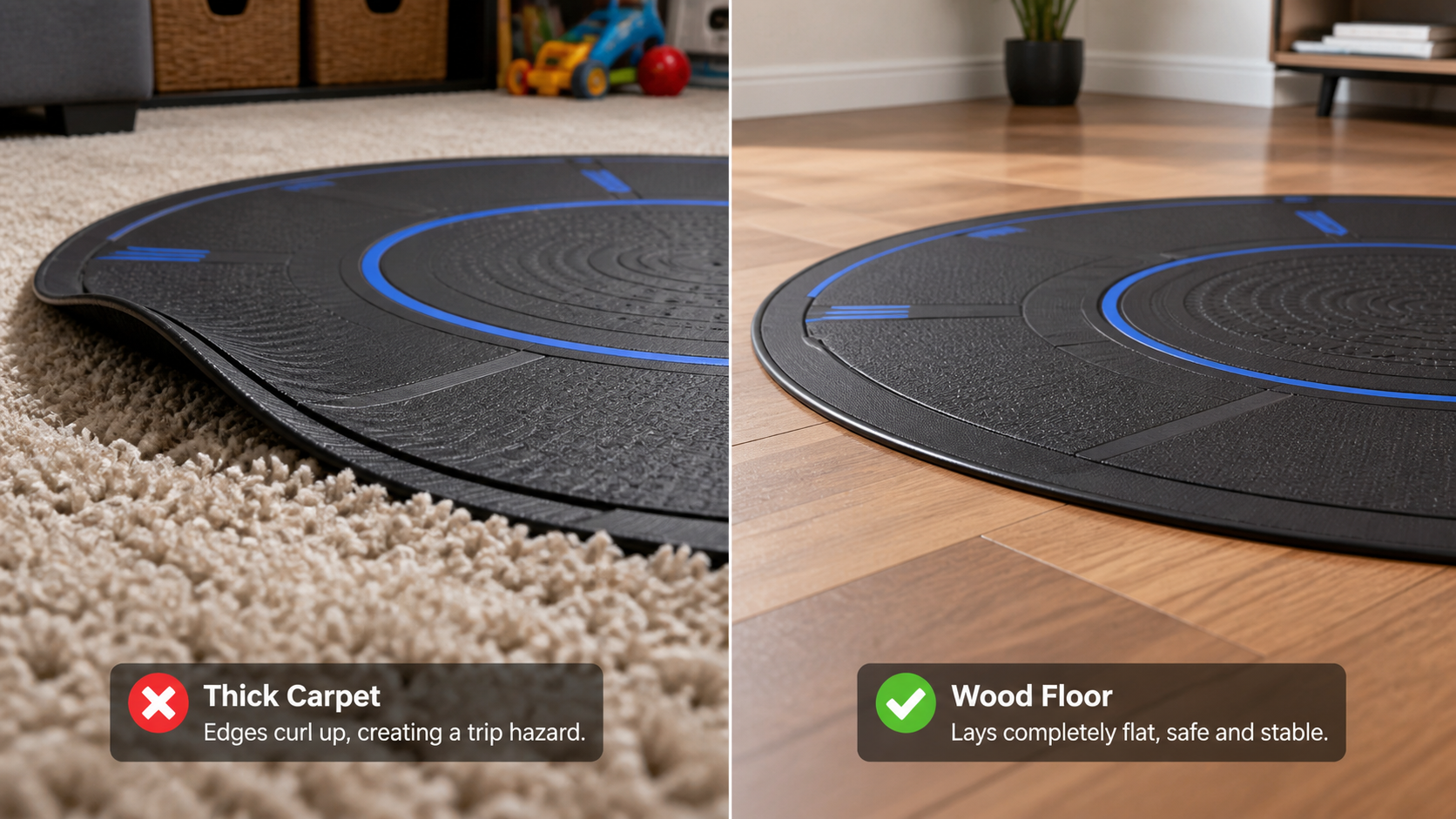
My first test was simple: move the mat around the house. My main play area is a low-pile carpet in the kids' room, but I also have a living room with hardwood floors. The difference was immediate and obvious. On the carpet, the mat felt unstable. The pile of the carpet propped up the thin edges, and even after weighing them down, they never settled completely. During a fast Beat Saber session, my foot slid and caught this edge multiple times. It was distracting and dangerous. On the hardwood floor, the mat’s non-slip backing worked perfectly. It stayed put, and the edges were almost seamless with the floor. The risk of tripping on the edge itself was nearly gone.
Surface Performance Breakdown
I learned that not all floors are equal when it comes to VR mat safety. The interaction between the mat's material and the floor surface is critical, especially for games with quick footwork. Here is a simple breakdown of my experience.
| Surface Type | Edge Curl Risk | Slip Risk | Overall Feel for VR |
|---|---|---|---|
| Thick Carpet | High | Low (mat doesn't slide) | Poor. The curled edge is a constant trip hazard. Unsafe for fast games. |
| Hardwood | Low | Low (mat grips well) | Excellent. The mat lays flat and stays in place, providing a stable, safe surface. |
| Tile | Low | Low (mat grips well) | Excellent. Similar to hardwood, it creates a very secure play area. |
My conclusion was clear. If you only have thick, plush carpet, a VR mat might create more problems than it solves. It needs a hard, flat surface to be effective and safe.
Could how easily new users understand the center cue be the real reason trip hazards remains in kids' play areas?
You told your friend to "stay on the mat," but they still drifted into a wall. The mat’s center marker just isn't working as a guide for them.
Yes, absolutely. If a new user can't feel the center cue with their feet, they will ignore it. A simple, raised tactile bump is much better than a visual-only design. It lets players re-center without breaking immersion, which reduces drifting and tripping.
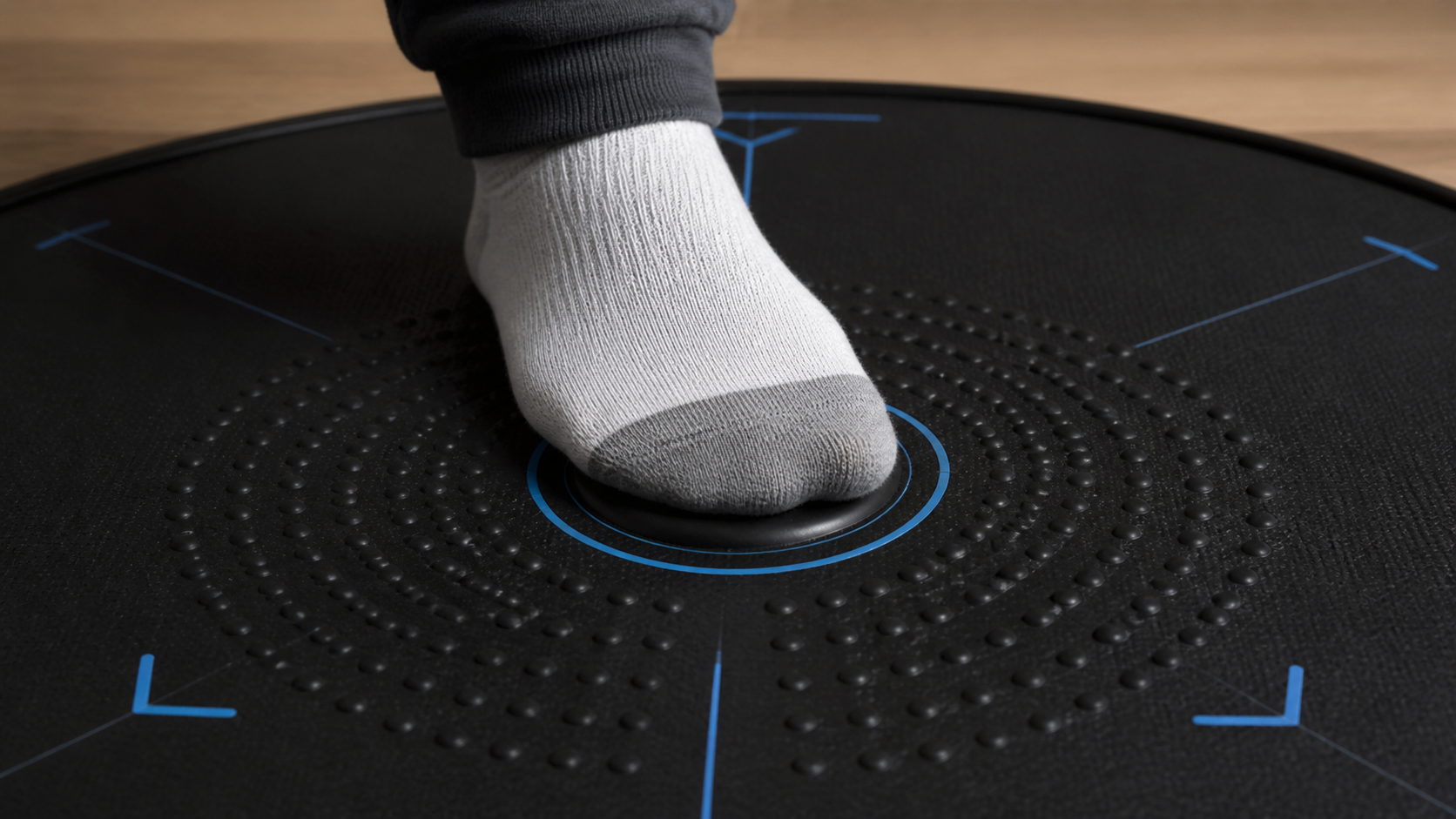
The surface test solved the edge-curl problem, but I still saw my nephew drift off the mat when he played Gorilla Tag. He's new to VR and gets completely lost in the game. I realized the problem wasn't just the edge; it was his awareness of his position on the mat itself. My mat has small raised bumps in the center and forward-facing lines you can feel with your feet. At first, he paid no attention to them. I had to stop the game, take his hand, and guide his foot to the center. I told him, "This bump is your home base. If you can't feel it, you're getting too close to the edge." It took a few reminders, but then it clicked. He started to instinctively shuffle his feet back to the center whenever he felt himself stray. This proved to me that the mat's design is just as important as the setup. A mat without clear, easy-to-feel tactile cues is a failure for new players and for anyone playing a chaotic, disorienting game. The user needs to build muscle memory around that center point.
Can the article show a sound note for apartment players instead of only making claims?
You want to play VR fitness games at night. But you are worried the jumping and stomping is making your downstairs neighbors angry.
Yes. A thick VR mat significantly dampens impact sounds. I recorded myself jumping on my wood floor and then on the mat. The sound on the bare floor was a sharp thud, while the mat turned it into a much quieter, muffled thump.
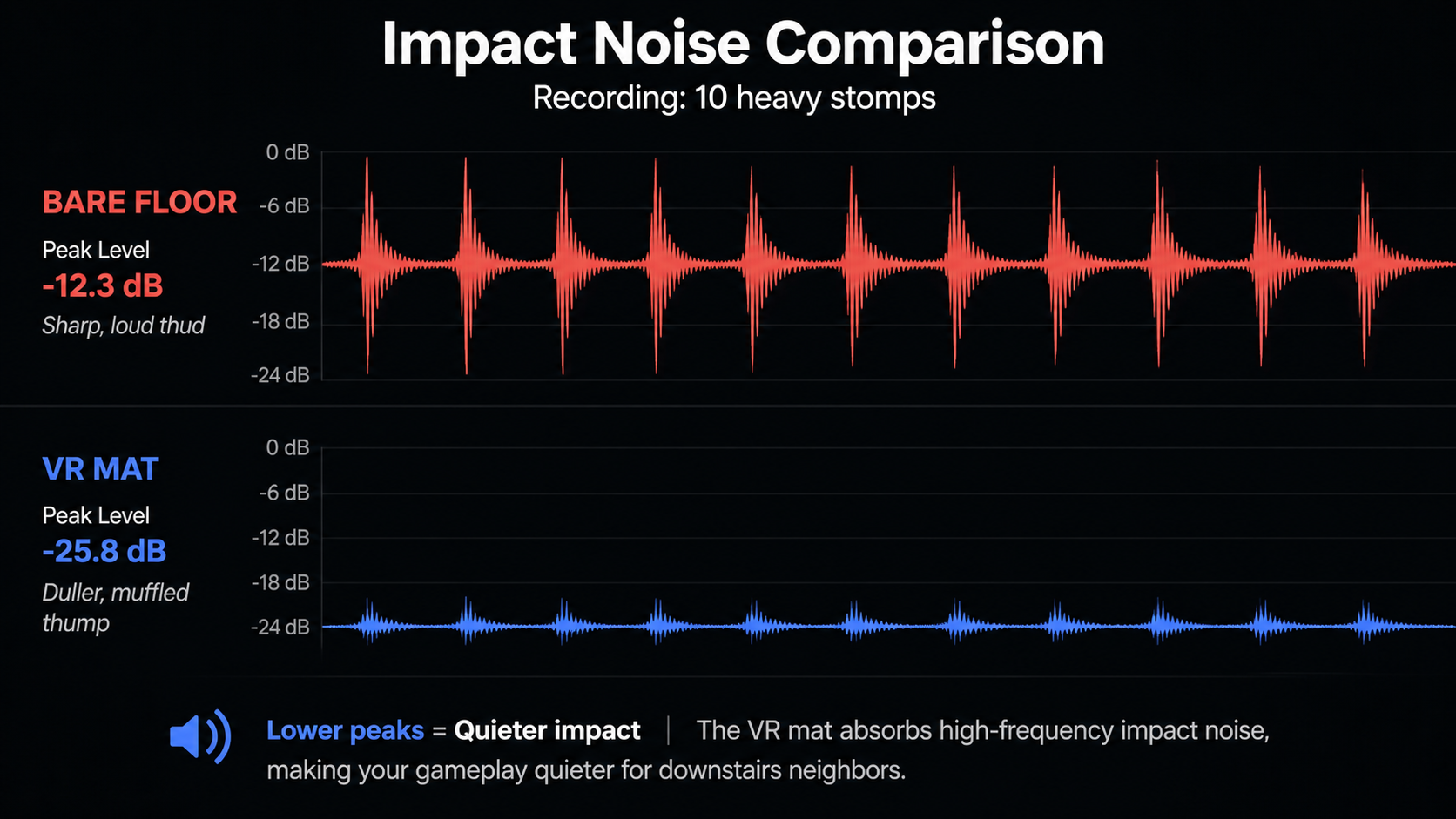
Living in an apartment, I’m always conscious of noise. Games like Beat Saber involve a lot of bouncing and quick steps, and boxing games have you stomping your feet for power. To test the mat's sound dampening, I did a simple experiment. I placed my phone on the floor a few feet away and set it to record audio. First, I did ten quick, heavy stomps directly on my hardwood floor. Then, I put the mat down and did the same ten stomps in the center of it. The recorded audio showed a huge difference. The hardwood floor sound was a sharp, loud "THUD" with a clear echo. The sound on the mat was a low, dull "thump." It absorbed most of the high-frequency impact noise. This isn't just about being a good neighbor. The anti-fatigue material also made playing more comfortable. My feet and knees felt less sore after a long session. It proved the mat helps with more than just spatial awareness; it adds a layer of comfort and quiet.
Can this topic end with a practical VR Mat setup checklist for Quest Touch Plus Controllers users?
You bought a VR mat to be safer, but you aren't sure you set it up right. You might be missing a simple step that could prevent an accident.
Yes, here is a practical checklist. 1. Use a hard, flat floor. 2. Let the mat uncurl for 24 hours. 3. Point the mat's forward marker toward your main play direction. 4. Center your Guardian boundary over the mat. 5. Test edges.
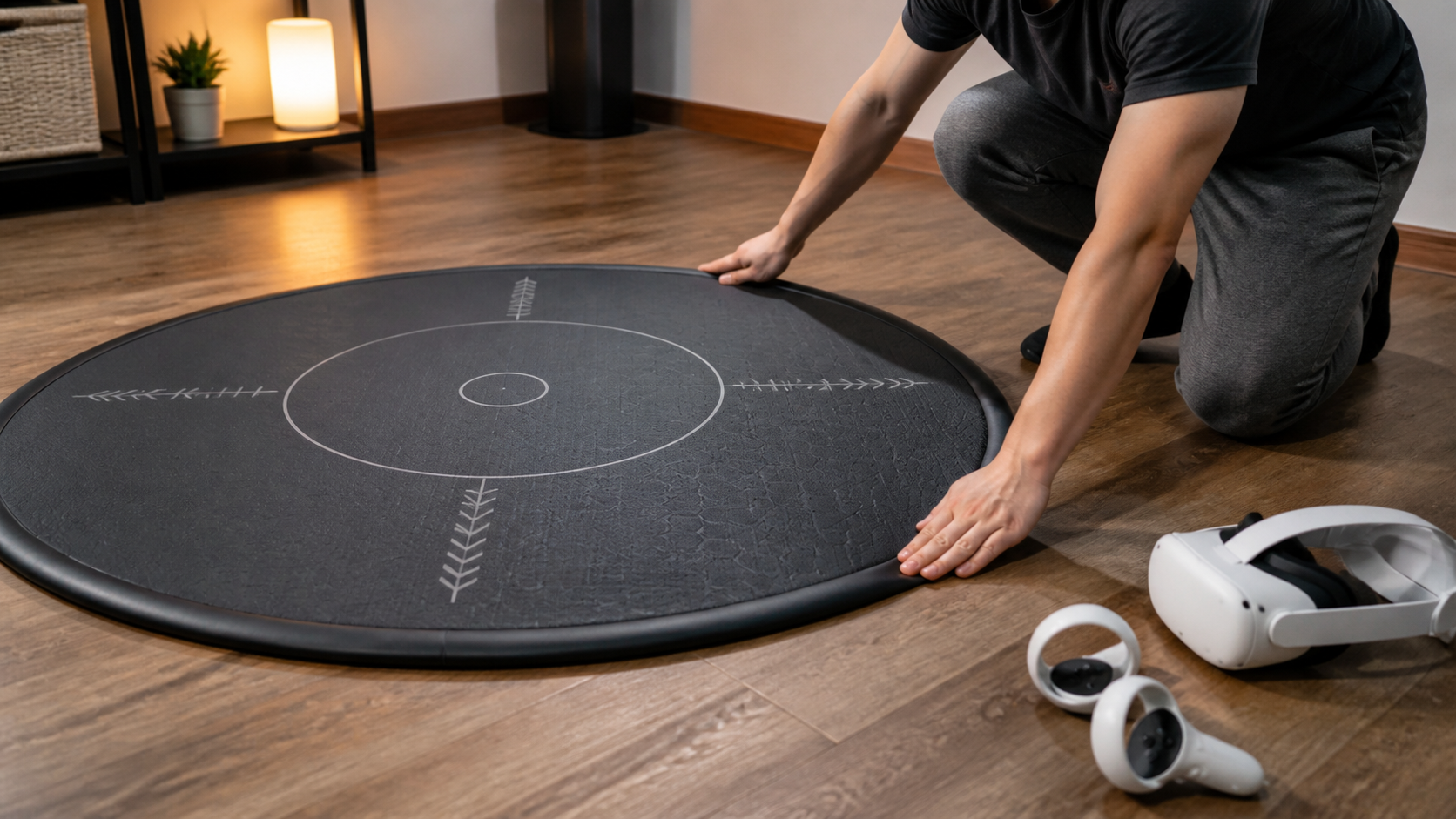
After all my tests, I realized a good mat can become a bad one with the wrong setup. A trip hazard isn't always the product's fault. For anyone using Quest controllers and a mat, following a few steps can make all the difference. This is the process I use now to ensure my play area is as safe as possible.
My VR Mat Setup Checklist
- Check Your Floor: Start with the right foundation. Place your mat on a hard, flat surface like hardwood, tile, or a very low-pile carpet. Avoid plush, thick carpets completely.
- Give It Time to Uncurl: Most mats come rolled up. When you first get it, lay it flat. You might need to place books on the edges for a day to get it perfectly flat. A curled edge is the number one enemy.
- Align it Forward: Your mat should have a tactile arrow or some indicator for the forward direction. Point this towards your monitor or the front of your real-world playspace. This helps you maintain your orientation both physically and in-game.
- Sync Your Guardian: Redraw your Meta Quest Guardian. I recommend using the Stationary Guardian and making the circle just a little larger than the mat. This creates a two-stage warning system: your feet feel the edge of the mat first, and then the Guardian wall appears if you go further.
- Do the Foot Test: Before you put on the headset, walk around the entire perimeter of the mat in your socks or bare feet. Feel for any edges that lift or curl. If your foot can catch it, it’s not ready.
Verdict by Game Type
After all this, is the mat worth it? It depends on what you play.
- Rhythm Games (Beat Saber): Helpful. The center cue is fantastic for keeping you in the sweet spot, and the anti-fatigue surface is a huge plus for long sessions.
- Boxing (Thrill of the Fight): Annoying. During aggressive dodges and lunges, my feet would still catch the edge, even on a flat floor. It broke my immersion and felt risky.
- Room-scale (Gorilla Tag): A Failure. This game encourages big, chaotic movements. I was constantly stepping on and off the mat, which made the edge a permanent trip hazard. It was more dangerous with the mat than without it.
My honest takeaway is that the mat is a great tool for stationary or standing VR experiences. It helps with orientation, comfort, and sound. But for games that demand a lot of lateral movement, lunging, or running in place, the mat can become the very hazard it's supposed to prevent. If you mostly play intense, room-scale games, you are likely better off with clear floor space and a well-defined Guardian.
Conclusion
A VR mat can be a setup problem or a product problem. A good setup on a hard floor is key, but poor tactile cues or flimsy edges are product failures.
Leave a comment