



Does an Open Facial Interface for Quest 3 solve the real complaint hot-climate users have about mixed reality games?

Playing mixed reality games in a hot climate gets sweaty and uncomfortable fast. The standard facial interface traps heat, making you want to quit. This accessory might be the solution.
Yes, for hot-climate users, the Open Facial Interface for Quest 3 directly solves the problem of heat and sweat during mixed reality games. It massively improves comfort by allowing airflow, though this comes with the trade-off of some light leak. It makes longer sessions much more bearable.

I live in a place where it’s warm almost year-round. This makes VR fitness a real challenge. The standard Quest 3 facial interface feels like a mini-sauna strapped to my face after just 15 minutes of a game like Beat Saber. I get distracted by the heat and sweat dripping down. I kept hearing about open-style interfaces and decided to test one myself. I wanted to see if it could solve my biggest complaint and make mixed reality gaming feel less claustrophobic. This is my honest, first-person experience with the accessory, breaking down what it actually does and who should—or shouldn't—buy it.
Does field of view come from Open Facial Interface for Quest 3, Meta Quest 3, or the way mixed reality games is played?
You feel boxed in by the black borders of your VR view. You hope a new accessory can expand your world. But the source of that narrow view is complicated.
Field of view (FOV) is a mix of all three. The Quest 3 headset has a hardware limit. An open facial interface can slightly increase it by moving your eyes closer to the lenses, but your physical movement in mixed reality has the biggest impact on your perceived view.
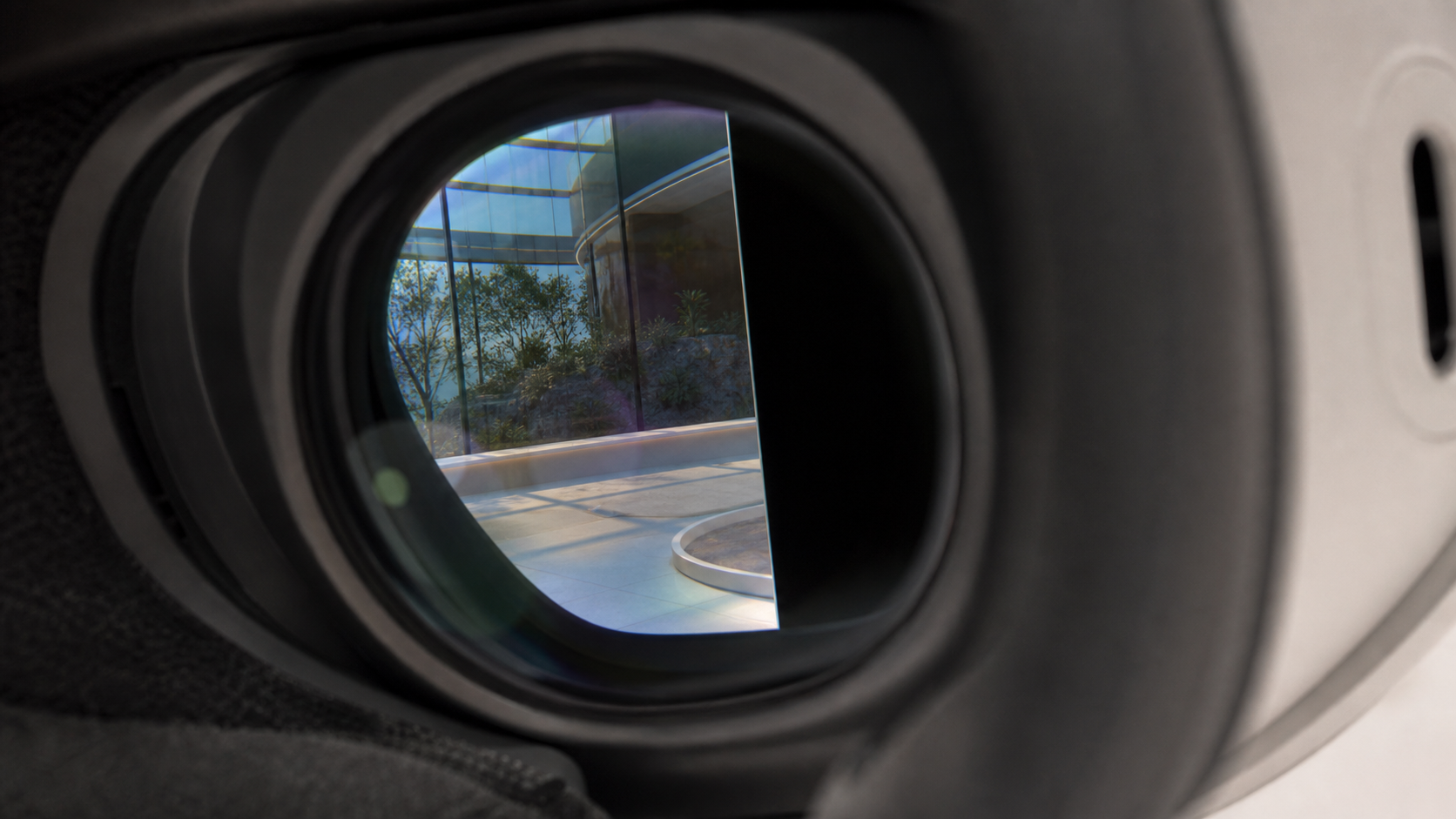
When I first got the open interface, my main hope was for a wider field of view. I wanted to feel less like I was looking through binoculars. The truth is more nuanced. The Quest 3 itself sets the maximum possible FOV with its pancake lenses. No accessory can magically add more screen. But accessories can change how much of that screen you see. By being thinner than the stock interface, the open design brought my eyes a tiny bit closer to the lenses. This gave me a small, but noticeable, increase in my vertical and horizontal FOV. However, the biggest change came from how I played. Because I felt less enclosed, I found myself turning my head more freely, which made my usable field of view feel much larger.
Breaking Down the FOV Sources
Here is how I experienced the different factors that contribute to the field of view.
| Source | How It Affects FOV | My Lived Experience |
|---|---|---|
| Meta Quest 3 Headset | The hardware sets the absolute maximum FOV. The pancake lenses offer a good view, but it's not infinite. | This is the baseline. No matter the accessory, I can't see beyond what the headset's screens can show. |
| Open Facial Interface | Its thinner profile can position your eyes slightly closer to the lenses, which can increase the visible FOV. | I measured a very slight increase. It was nice, but not a dramatic change. The feeling of openness was more important. |
| Physical Movement | In mixed reality, physically turning your head and body to look around is the main way to expand your view. | This had the biggest effect. The comfort from the open interface encouraged me to move more, making my world feel bigger. |
Would a side-by-side mixed reality games clip explain the trade-off faster than text?
Reading about "light leak" versus "airflow" is abstract. You can't really feel it from words alone. A video might show the reality of this accessory much better.
Absolutely. A side-by-side video clip would instantly show the core trade-off. Viewers would see the immersive, dark view of the standard interface next to the brighter, more open view of the new accessory, complete with the light leak at the bottom and sides.
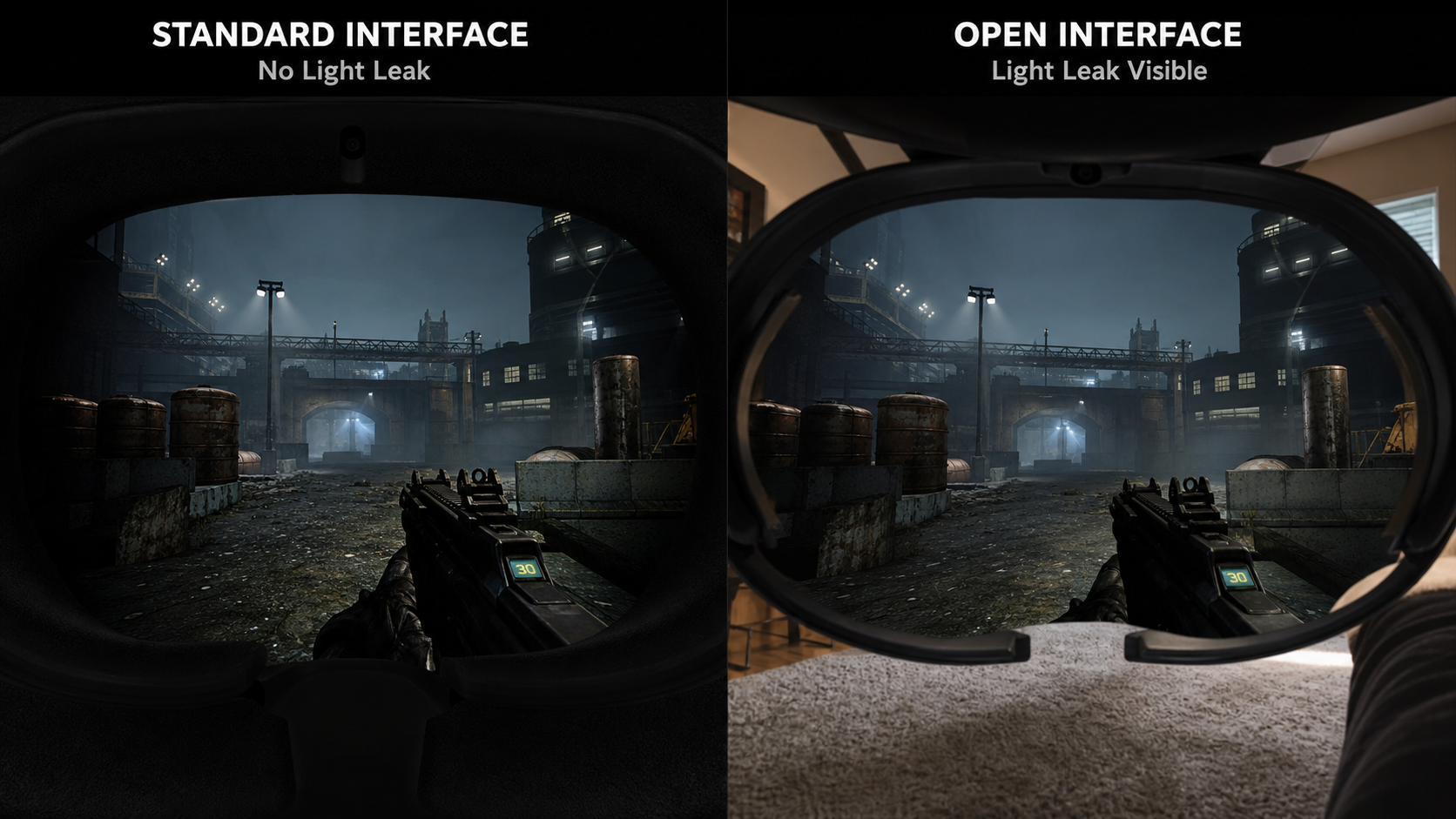
Text can only do so much. When I tried to explain the experience to a friend, I struggled. The moment I showed them what it looked like, they got it. A video would show you exactly what I mean. On one side, you’d see a dark, focused game like Into the Radius. With the standard interface, it’s pure immersion. With the open interface, you'd see my living room carpet in my peripheral vision. For that kind of game, it’s a deal-breaker for me.
But then the video would switch to a fitness game like Supernatural. In that clip, you'd see how little the light leak matters when you're moving fast and focused on the targets. Instead, you'd notice that the user (me) isn't constantly pausing to wipe their face. A video shows that the trade-off is entirely dependent on the game you're playing. It’s not an upgrade in every situation. It’s a specialized tool, and a short clip communicates that better than a thousand words.
Does the accessory solve field of view or simply change how mixed reality games feels?
You are chasing a wider, more cinematic view in VR. You think this accessory will deliver that. But the real change is about feeling, not just seeing.
It mostly changes how mixed reality feels. The accessory transforms the experience from being fully enclosed to feeling open and connected to your room. The comfort and airflow are the primary benefits, while any increase in FOV is a very minor secondary effect.
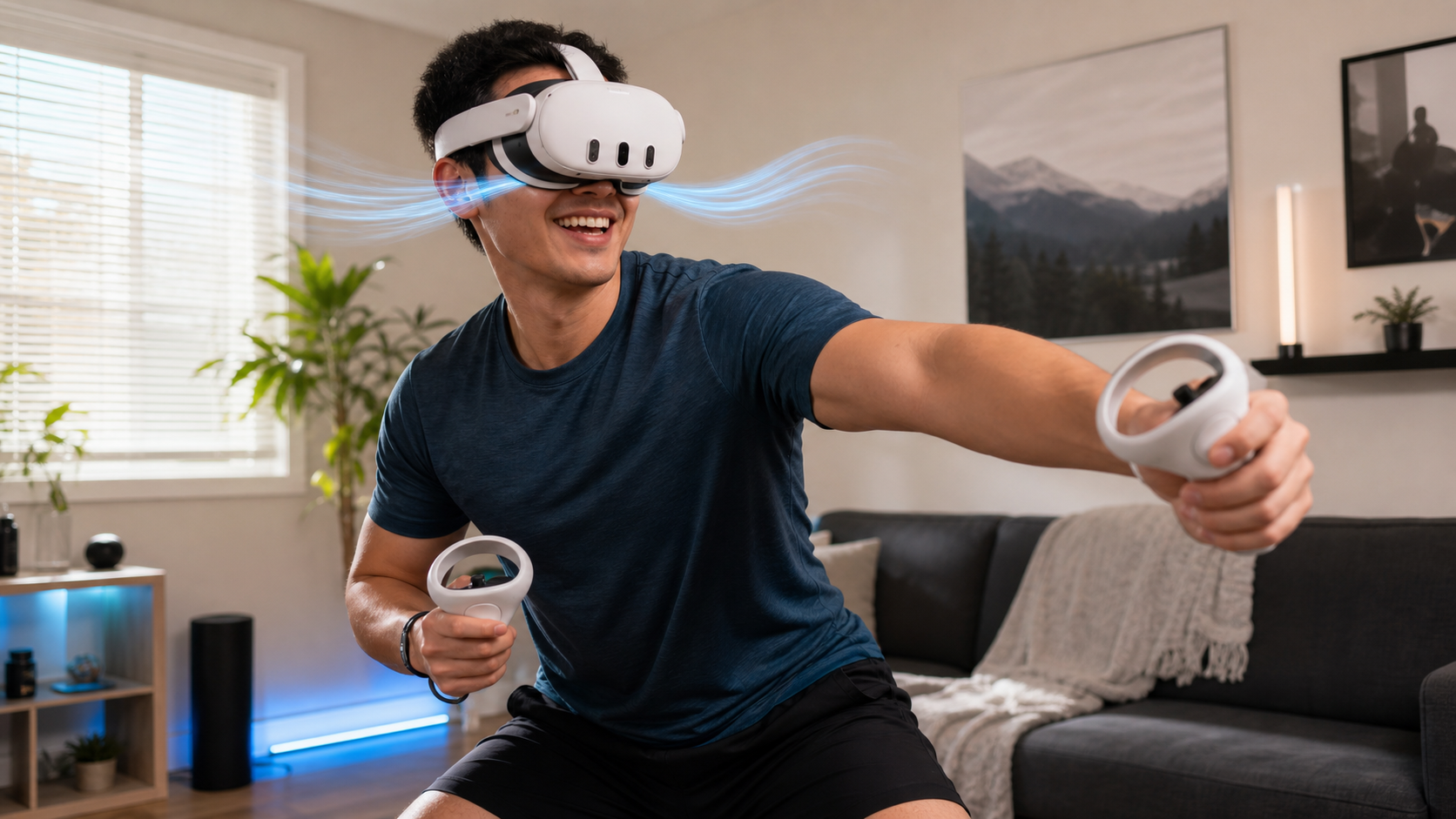
I went into this test expecting a technical upgrade to my FOV. What I got was a psychological one. The open interface fundamentally changes the sensation of wearing the Quest 3. The stock interface seals you off from the world. It’s designed for full immersion. The open interface does the opposite. It keeps you grounded in your physical space. There’s a constant awareness of the room around you.
For fully virtual reality games, this can be a negative. But for mixed reality, it feels more natural. When a game character is standing in my actual living room, it feels more believable when I can also feel the air from my fan on my face. It makes the headset feel less like a scuba mask and more like a pair of glasses. This shift in feeling was far more powerful than the small bump in FOV. It made me want to use mixed reality apps more often because the friction of "sealing myself in" was gone.
Does Open Facial Interface for Quest 3 solve enough of field of view in mixed reality games to justify another accessory?
You are on a budget. You need to know if this accessory is a must-have or a nice-to-have. Is the benefit worth the price of another purchase?
No, if you are buying it only for a wider field of view, it is not worth it. However, if your main problem is heat, facial pressure, and sweat during active use, then the comfort it provides absolutely justifies the cost as a separate accessory.
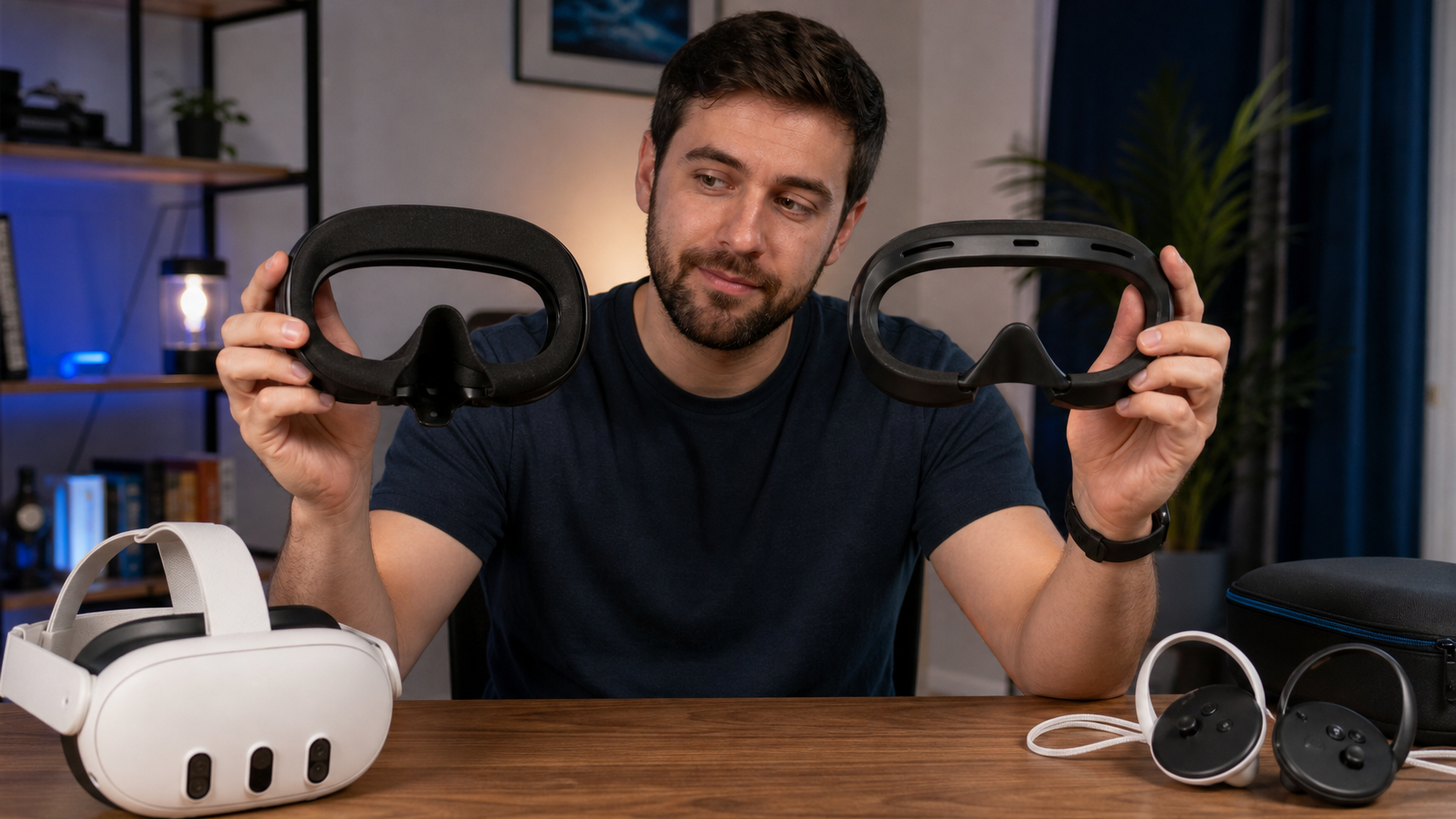
Let's be direct. Do not buy an open facial interface if your only goal is to get a massive FOV increase. You will be disappointed. The improvement is small and not worth the money on its own. I want to be very clear about that because many products are marketed with a focus on FOV.
But that’s not the right reason to consider this accessory. For me, the justification was simple: it made my Quest 3 usable for workouts. Before, I would dread my VR fitness session because I knew I would end up a hot, sweaty mess. The stock interface would get soaked and feel gross. With the open interface, air circulates freely. I can play for an hour without feeling overheated, and my lenses don't fog up. For this reason alone, it was one of the best accessory purchases I’ve made. It solved the one problem that was stopping me from using my headset more. So, you have to ask yourself what problem you are trying to solve. If it's comfort, especially during active games, then yes, it's worth it.
Conclusion
The open interface is a specific tool for a specific problem. It’s a massive comfort upgrade for fitness and mixed reality, not an FOV miracle. For hot-climate users, it's essential.
Leave a comment