



Does a VR Sword change how Until You Fall feels after a full session for Parents?

My wrist aches after a good "Until You Fall" session. The fast-paced sword fighting is a great workout, but the repeated snapping motions with a bare controller can be tiring.
A VR sword accessory can definitely change how the game feels. It adds satisfying weight and makes broad swings more immersive. But it also dampens haptic feedback and requires more physical space, making it a trade-off that won't be right for every parent's living room setup.
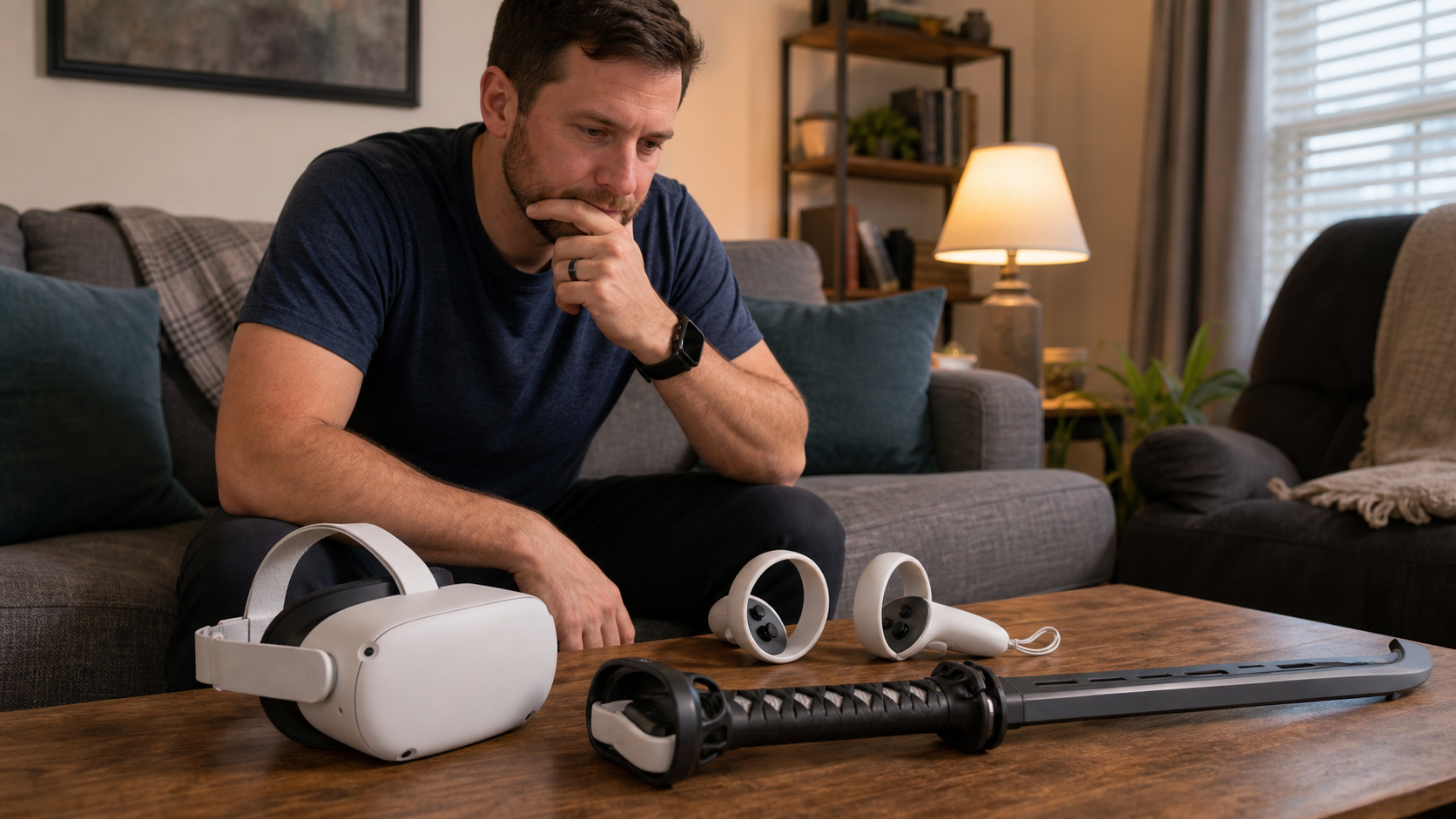
As a parent, my VR time is precious. It's usually squeezed in late at night after the house is quiet. The last thing I want is to spend half of that time fumbling with an accessory that makes the game less fun or, even worse, causes me to break a lamp. I decided to put a VR sword handle to the test during a full session of Until You Fall. I wanted to see if the added immersion was worth the potential hassle. I compared it directly against using the bare Meta Quest 2 controllers to find out where it helped and where it just got in the way.
Is haptic feel still a problem after adjusting wrist strain after repeated fast cuts?
You love the feeling of blocking and cutting in "Until You Fall." But the controller vibrations feel weak with an accessory on, and your wrist still gets tired.
Yes, the haptic feedback is much weaker with a sword handle attached. The plastic handle absorbs most of the controller's vibrations, turning sharp clashes into dull thuds. While the added weight feels good for swings, you lose that critical electronic feedback that tells you you've made a successful block.
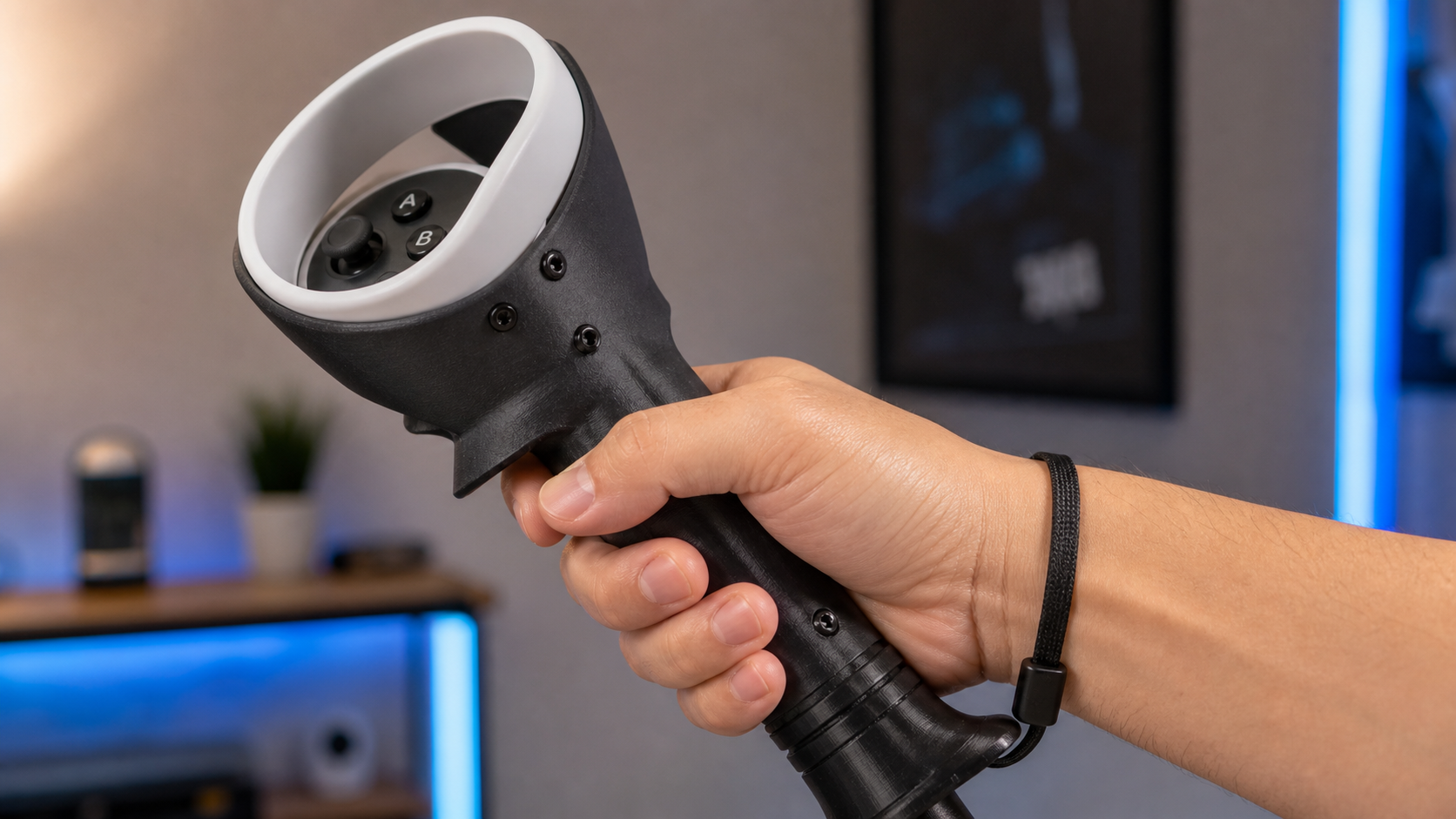
My first test was simple. I played one round with my normal Quest 2 controllers and then played the next with the VR sword attached. The difference in haptic feel was immediate. With the bare controller, every block and parry sends a sharp, precise vibration right into your palm. You feel the "clank" of virtual steel. With the sword accessory, that feeling is gone. The vibration has to travel through the plastic housing and down the handle, and most of it gets lost along the way. It’s a bit of a letdown, because that feedback is part of what makes the game so satisfying.
Wrist Strain vs. Arm Fatigue
The accessory changes how you move. Instead of quick wrist flicks, you are forced to use bigger, more deliberate arm motions. This feels more like swinging a real sword, which is great for immersion. But it also means you get tired in a different way. My wrist felt better, but my shoulder felt the burn much sooner. For a short session, it's a great workout. For a long one, it can be exhausting.
| Feature | Bare Controller | VR Sword Accessory |
|---|---|---|
| Haptic Feedback | Strong and Precise | Dull and Muffled |
| Primary Motion | Wrist Flicks | Full Arm Swings |
| Immersion Feel | Good | Excellent (for swing weight) |
| Fatigue Type | Wrist Strain | Shoulder/Arm Fatigue |
Ultimately, it’s a trade-off. You exchange precise feedback and fast wrist action for the heavy, immersive feel of swinging a longer blade. For a game like Blade & Sorcery, this is a fantastic trade. For the rapid-fire pace of Until You Fall, losing that haptic feedback was a bigger problem than I expected.
Does Meta Quest 2 compatibility change the answer for this VR Sword question?
You found a cool VR sword online, but you worry it will not hold your Quest 2 controller safely. A loose accessory could break your controller and the game.
Compatibility is key, and most VR swords for Quest 2 are designed to be secure. They use a latch or friction-fit system that holds the controller well. The main issues are button access and potential tracking interference, as the handle can sometimes block the headset's view of the controller's tracking ring.
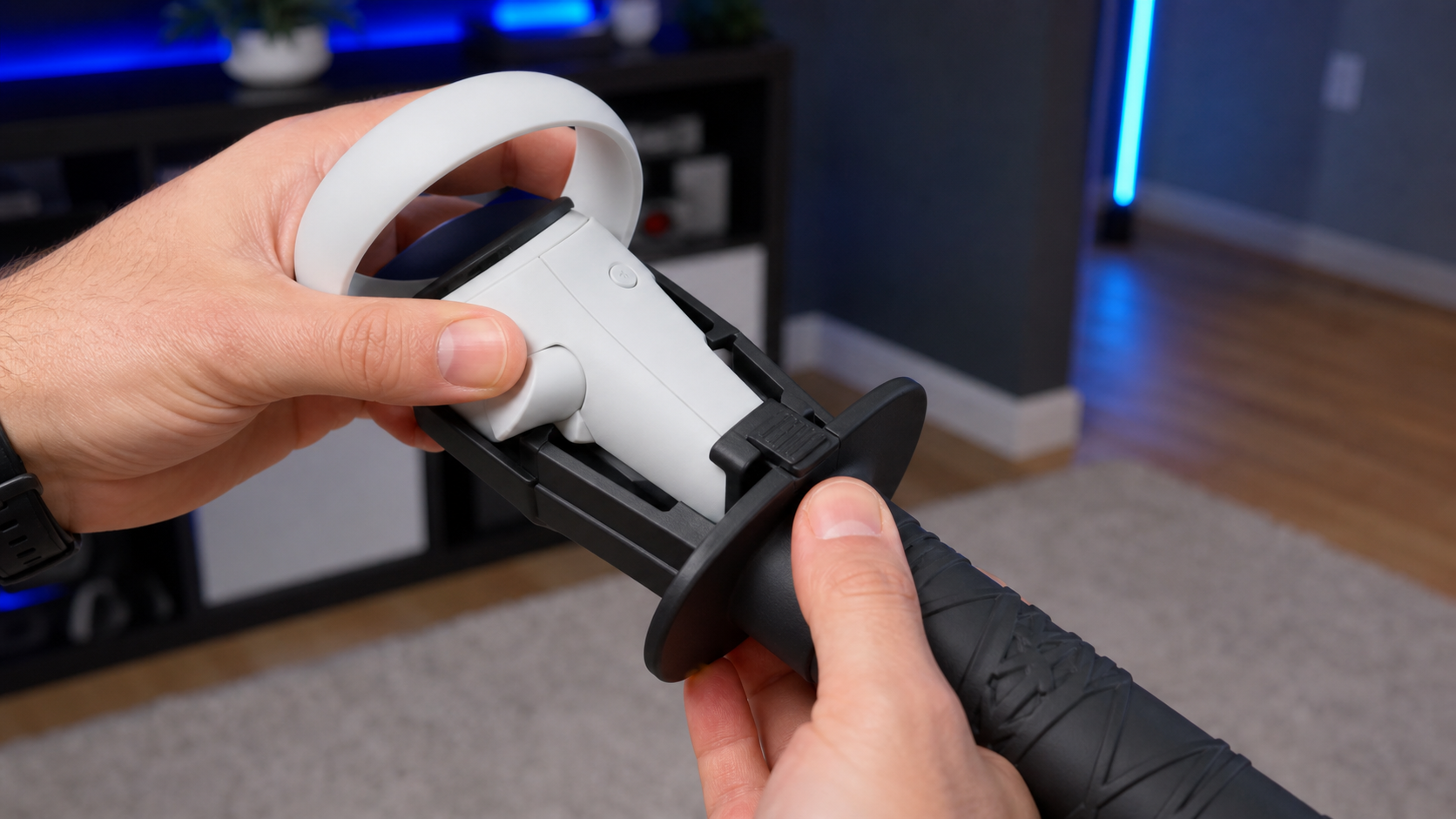
The sword handle I used was basically a molded piece of plastic designed specifically for the Quest 2 controller. It had a small latch that snapped into place to hold the controller. I gave it a few good test waggles, and it felt solid. I wasn't worried about the controller flying across the room, which was my biggest initial fear. The design seems simple but effective for its main purpose.
The problems showed up during gameplay. In Until You Fall, you need to constantly use the grip and trigger buttons to dash, activate specials, and summon your other weapon. The plastic shell of the sword handle added a little bit of bulk around these buttons. It wasn't impossible to press them, but it was just awkward enough to make me a split-second slower. In a game this fast, a split-second is all it takes to miss a block.
I also noticed a few tracking glitches. The Quest 2 headset tracks the controllers using cameras that look for the infrared LEDs in the controller's ring. The sword handle extends directly below this ring. During some wide, low swings, I felt the in-game sword stutter for a moment. My guess is that the handle briefly blocked the camera's line of sight to the ring. It only happened a couple of times, but it was enough to break my combo and my concentration.
Can the user recover quickly when the accessory gets in the way?
You are in the middle of a fight, and you swing your long VR sword into a piece of furniture. Now the immersion is broken, and you're losing the game.
No, recovery is much slower when using a long accessory. Hitting a real-world object is more likely due to the extra length, and the impact feels more significant. Untangling yourself and refocusing on the game takes precious seconds, which is often enough to fail a level.
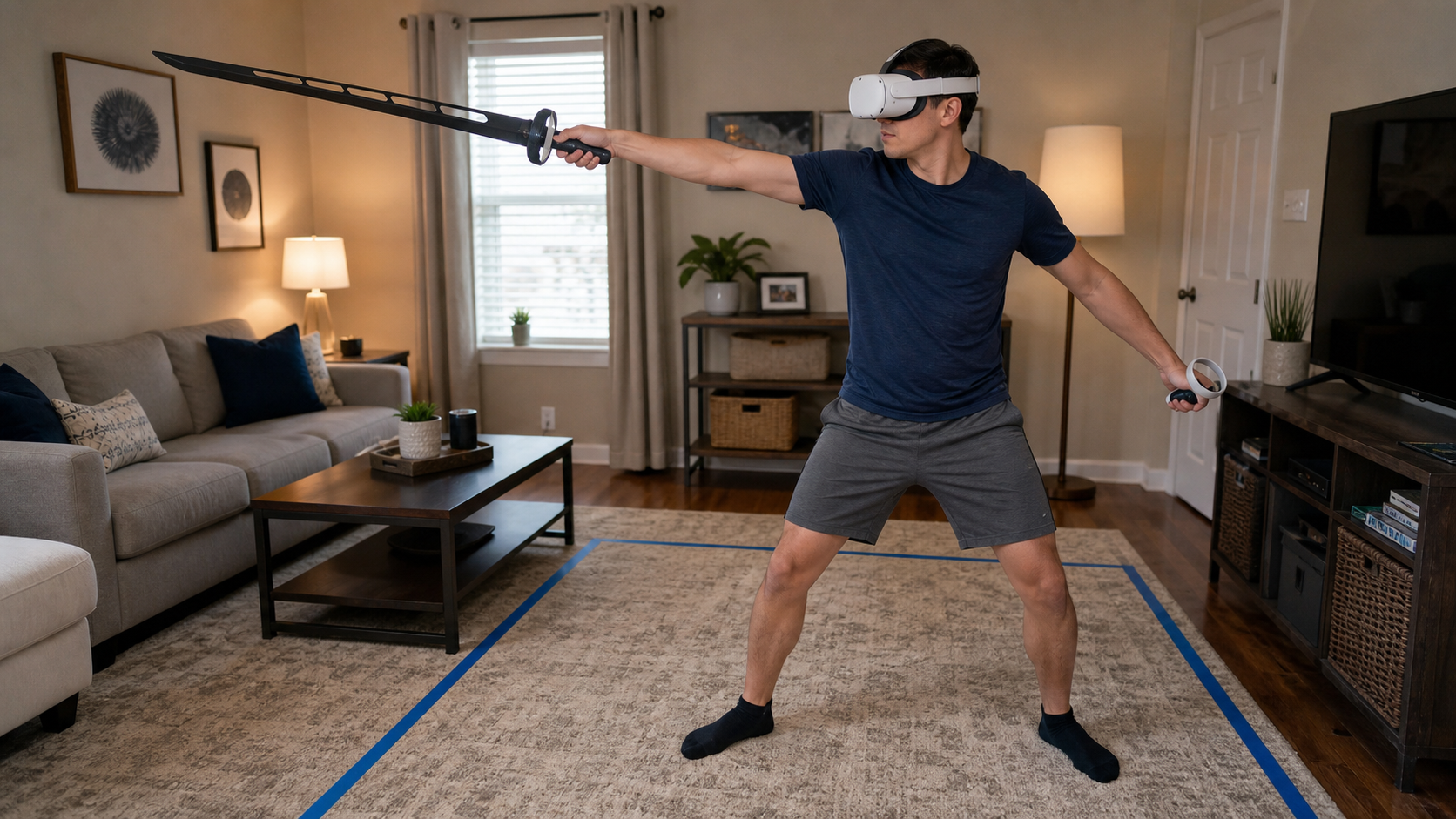
This is the biggest practical issue for me as a parent. My VR space is my living room. I do my best to clear a space, but it's not a dedicated, empty room. It has a couch, a coffee table, and lamps. With a standard controller, I have a very good sense of my boundaries. I know exactly how far I can reach.
The VR sword completely changed that. It added about a foot of length to my reach, and my brain hadn't adjusted yet. Within my first round, I swung wide to block an attack and smacked the handle right into our floor lamp. The noise was loud. I immediately stopped to make sure nothing was broken (it wasn't, thankfully). But in the game, the enemies kept attacking. By the time I took my headset off, checked the lamp, and put the headset back on, my health bar was nearly empty. I had lost all my momentum.
With a bare controller, if I accidentally tap a wall, it’s a minor event. My hand is right there, and I can pull back instantly. The impact is small. With the sword, the extra leverage makes the hit feel harder, and the whole event is more clumsy and distracting. For anyone playing in a limited or multi-use space, this is a serious downside. The risk of hitting things is much higher, and the penalty for doing so is greater.
Can this topic end with a practical VR Sword setup checklist for Meta Quest 2 owners?
You want to try a VR sword to make your games more immersive, but you're not sure how to set it up for the best, safest experience.
Yes, a simple pre-game checklist makes a huge difference. You need to clear your space properly, secure the controller in the handle, test your button access, use the wrist strap correctly, and do a few practice swings to get used to the new length before you play.
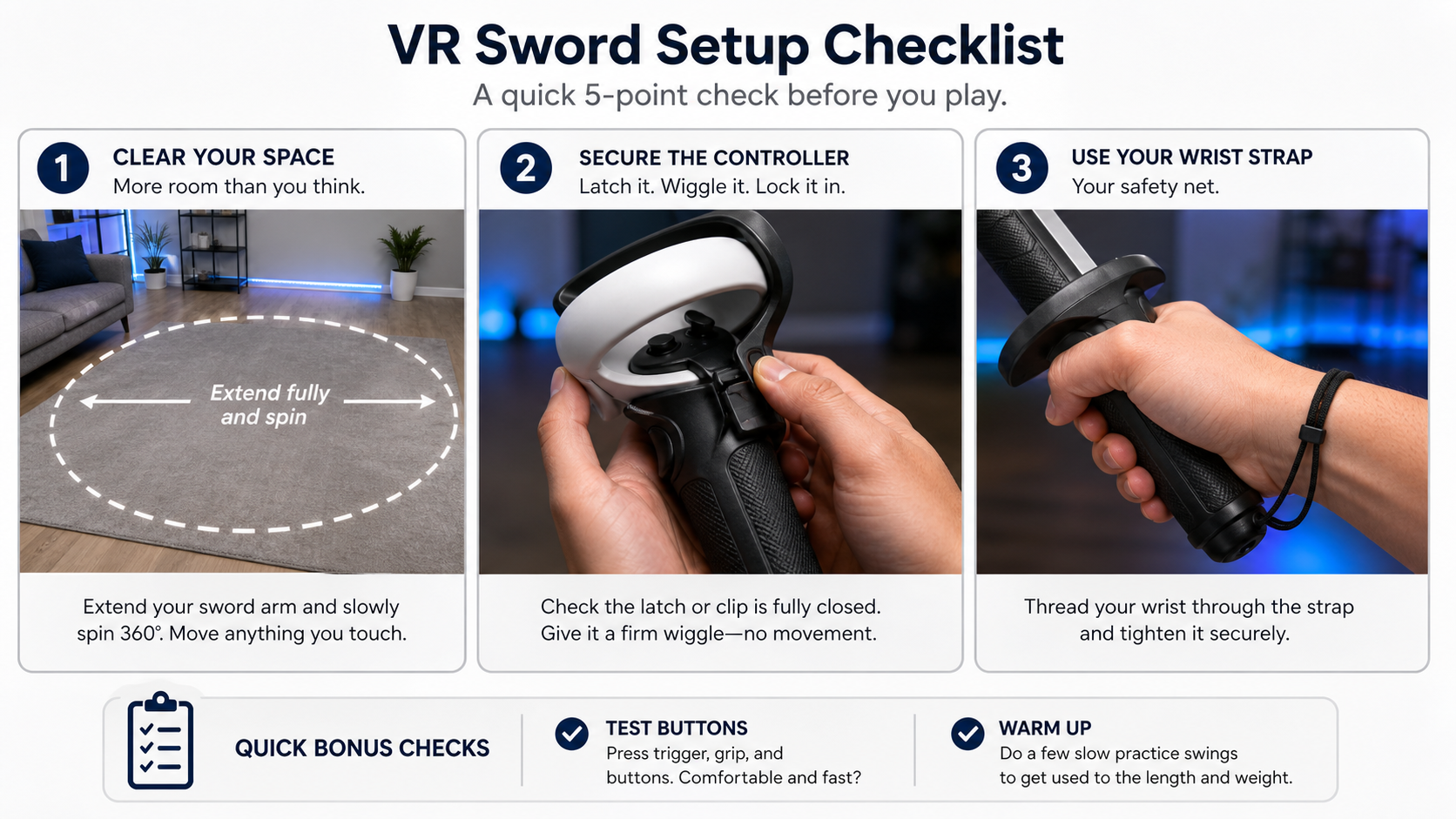
Forcing a positive verdict on an accessory is pointless if it doesn't actually help. I found that the VR sword was fun, but only when I was very careful with my setup. Forcing myself to go through a checklist before each session made the experience much better and safer. It might seem like a hassle, but it takes less than two minutes and prevents a lot of frustration.
Here is the checklist I now use:
- Clear Your Guardian Space... And Then Some. Stand in the center of your play area. Hold the controller with the sword accessory attached and fully extend your arm. Now, slowly spin in a full circle. Anything you touch, even barely, needs to be moved farther away. You need more clearance than the standard Meta Guardian system suggests.
- Double-Check the Latch. After you put the controller in the handle, give it a firm wiggle. Make sure there is no movement. You want it to feel like one solid piece. If it feels loose, don't use it.
- Practice Your Grip and Buttons. Without the headset on, hold the sword and practice pressing the trigger, grip, and face buttons. Make sure you can reach everything comfortably and quickly without having to change your grip too much.
- Always Use the Wrist Strap. This is the most important step. Put your hand through the controller's wrist strap and tighten it after you are holding the sword handle. The strap is your final line of defense if the latch fails or it slips from your hand.
- Do a Slow Practice Warm-Up. Before you jump into your game, just stand in your VR home environment. Do a few slow swings. Get a feel for the weight and, more importantly, the new length. This helps your brain adjust to your new reach before the pressure is on.
Conclusion
A VR sword is fun for immersion but is not for everyone. It helps with arm-based swings but weakens haptics and requires lots of space. Consider it if you have a dedicated VR room.
Leave a comment