



Can Quest Touch Plus Controllers tracking stay stable when VR Sweat Mask is used for kids' fitness?

My kids love VR fitness, but the sweat is a real problem. The headset gets gross, and I worried a sweat mask would make the controller tracking unstable and ruin their game.
A VR sweat mask can keep Quest Touch Plus Controller tracking stable during kids' fitness sessions. The key is a proper fit that does not block the headset's tracking cameras. It successfully absorbs sweat, keeping the facial interface much drier and more hygienic for shared use.
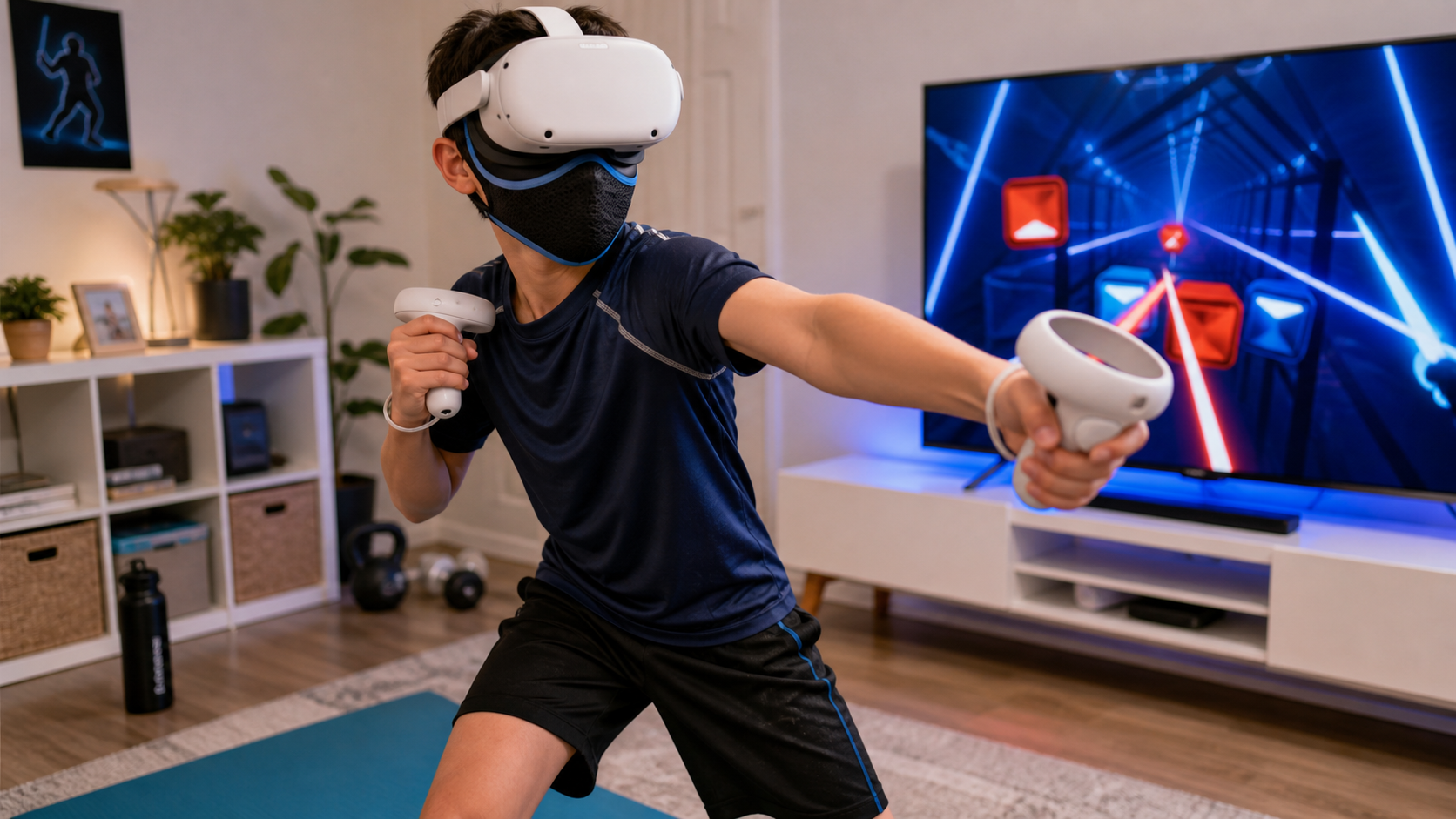
We put this to the test in our own home. As a family that shares one Quest headset, finding a way to manage sweat during active games like Beat Saber is a big deal. It’s not just about comfort; it’s about hygiene and keeping our expensive gear in good shape. I wanted to see for myself if a simple sweat mask was the answer, or if it would just create new problems with controller tracking. We decided to run a few real-world tests during our kids' normal VR playtime, focusing on the questions that any parent would have. This is what we found.
If the session lasts 20 minutes, does sweat absorption become more noticeable?
A quick five-minute game doesn't tell you much about sweat. But after 20 minutes of intense VR, the headset can feel damp and gross, which my kids hate.
Yes, sweat absorption is very noticeable in a 20-minute session. We found the mask was damp to the touch afterward, but the headset's stock facial foam was almost completely dry. This made sharing the headset immediately much more pleasant.
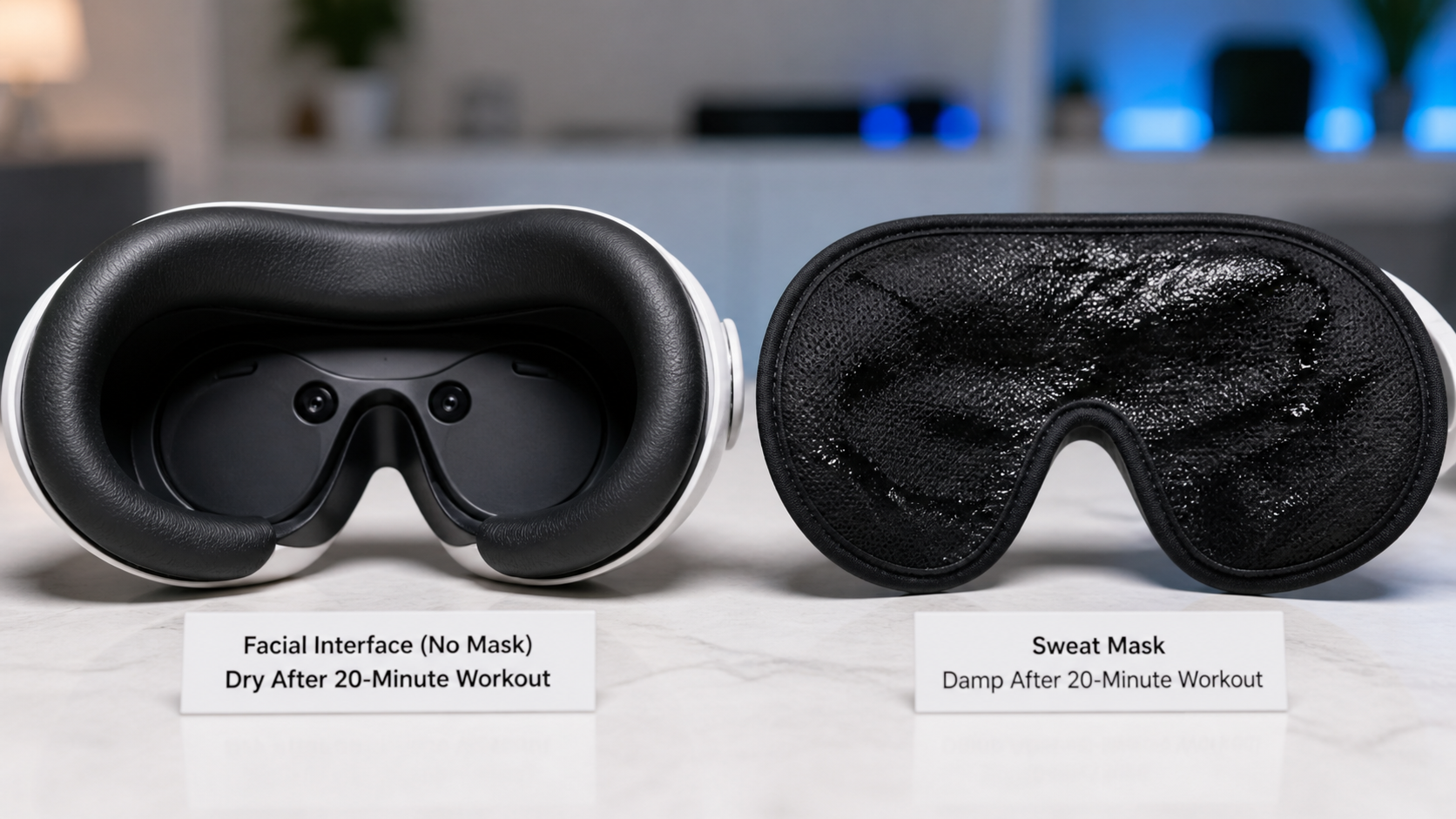
To get concrete proof, we decided to run a simple but effective test. My son volunteered to play a 20-minute round of a high-energy fitness game. Before he started, I checked the headset's facial interface. It was completely dry and clean. He put on the sweat mask, then the headset, and started his workout. He played until he was clearly sweating. When the time was up, he took the headset off. The first thing I did was touch the sweat mask; it felt damp. Then, I removed the facial interface from the headset and checked it. It was surprisingly dry, especially compared to how it usually feels after one of his sessions. The skin around his eyes was also less red and felt less sticky.
The Shared-Headset Swap Test
The strongest proof came from our "swap test." Normally, when my son finishes playing, my daughter has to wait for the headset to air out. If she puts it on right away, she complains about the "sweat ick" factor. This time, I had her try it immediately after he finished. He took off the headset and the damp mask, and she put the headset on. Her reaction said it all. "It's not wet!" she said. The mask had caught almost all the sweat, making the transition between players quick and clean.
Sweat Absorption: Before and After
Here is a simple breakdown of what we saw:
| Condition | Facial Interface Dampness | Lens Fog | Skin Feel After |
|---|---|---|---|
| Without Sweat Mask | Very Damp, Saturated | Noticeable Fogging | Sticky and Hot |
| With Sweat Mask | Mostly Dry | Minimal Fogging | Drier and More Comfortable |
However, we did find a failure case. In one extra-long session, the mask became so saturated that some moisture did seep through to the foam. So, for very intense, long workouts, you might need to swap the mask itself.
Does a boxing or Beat Saber movement clip make the recommendation more trustworthy?
Anyone can just say that tracking worked fine. But fast-paced games with wide arm swings are the ultimate test, where tracking failures would be obvious and frustrating for a player.
Absolutely. A video clip showing smooth gameplay in a fast-moving game like Beat Saber or a boxing title is the best proof. It demonstrates that the controller tracking is not interrupted by the mask, even during rapid, unpredictable movements that often challenge tracking systems.
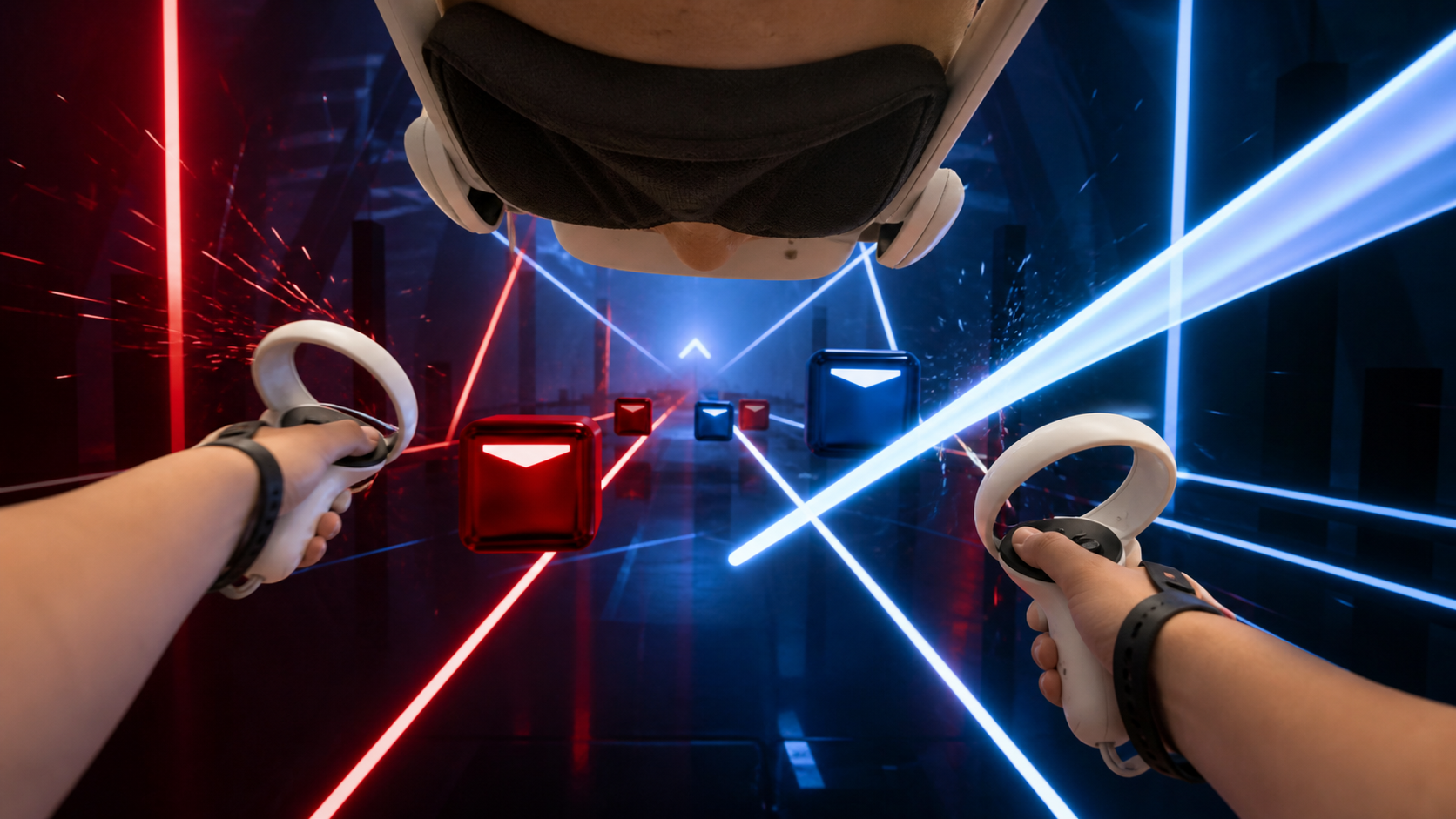
Talk is cheap. The only way to really trust that a VR accessory doesn't interfere with gameplay is to see it in action. So, we specifically tested the sweat mask with games that require quick, precise controller movements. My son played Beat Saber on Expert level, and my daughter jumped into a few rounds of a boxing game. I watched the monitor that mirrored the VR view, paying close attention to the virtual hands. I was looking for any sign of trouble: a controller floating away, lagging behind a real-world swing, or disappearing for a second.
We saw none of that. The tracking for the Touch Plus controllers remained solid. The virtual hands moved exactly as my kids' hands did. They swung wide, crossed their arms, and jabbed quickly without any glitches. This gave me confidence that the mask wasn't causing a problem. The key seems to be the fit. The mask we used sat snugly on the face and didn't ride up to cover any of the external tracking cameras on the headset. If you use a mask, you have to make sure it stays clear of those cameras. This visual test was far more convincing than just saying "it works." It showed us that the mask could handle a real VR workout.
Is the pain caused by the game, the controller shape, or the accessory fit?
After one long gaming session, my daughter complained her hands hurt. My first thought was to blame the game, but I realized it could be the hardware itself.
Hand pain in VR is usually a combination of factors. The game can cause repetitive strain, and the standard controller shape may not be ergonomic for smaller hands. However, a poor accessory fit, like a loose strap, often makes it worse by forcing a tighter, unnatural grip.
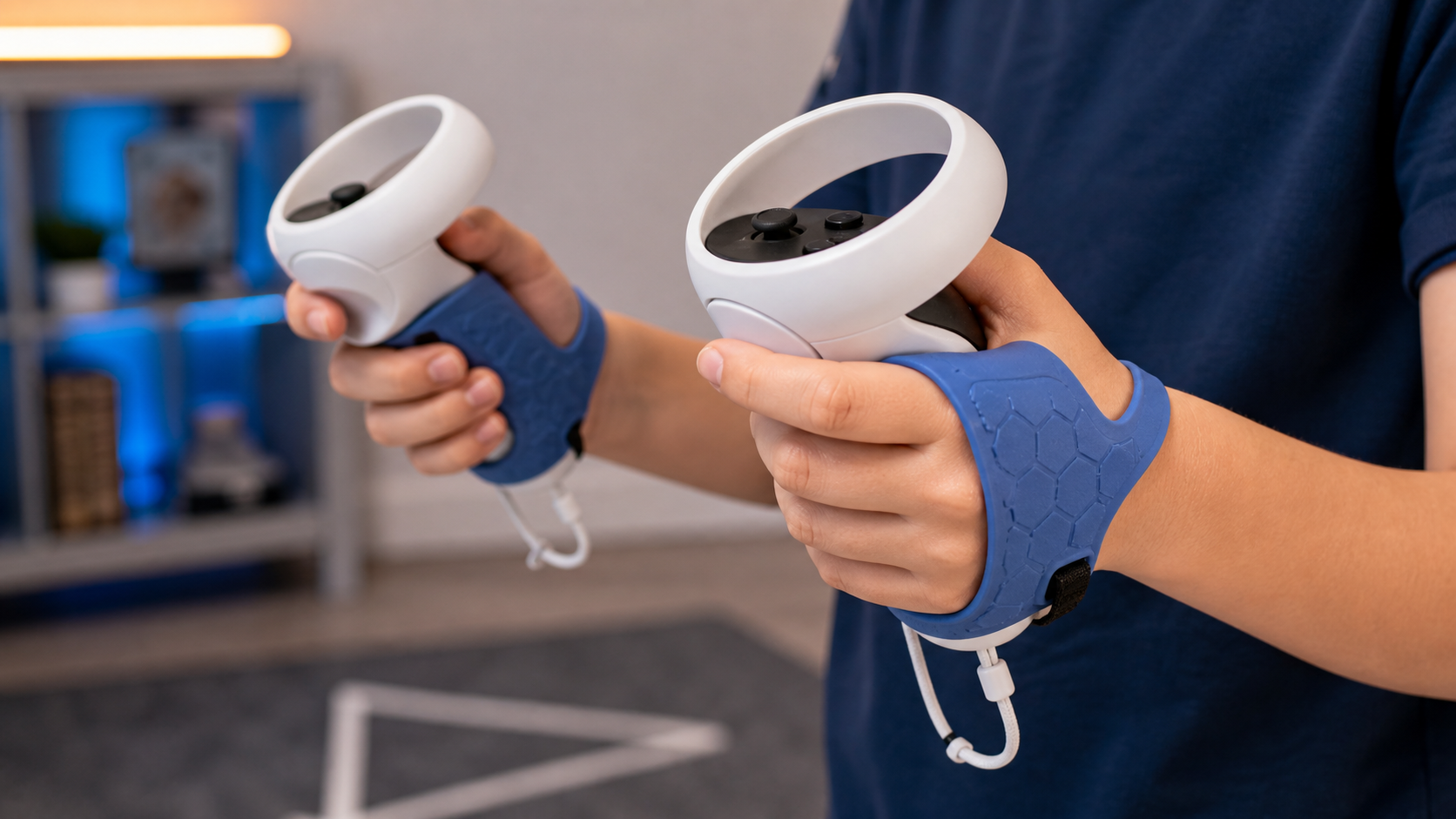
When my daughter mentioned her hands were sore, I started to pay more attention to how she was holding the Touch Plus controllers. It turned out to be a few things at once. First, the game she was playing required her to constantly grip a virtual object, which naturally leads to fatigue. Second, the controllers are designed for adult hands. For a child, they can feel a bit big, forcing her fingers into a stretched, tense position just to reach the buttons and hold on securely.
But the biggest issue was her fear of dropping them. The basic wrist straps that come with the Quest are purely for safety; they don't help with grip at all. Because she felt the smooth plastic controllers might slip during a fast swing, she was gripping them way too tightly. This constant tension was the main source of her pain. It wasn't an issue with the sweat mask, but it was an issue with the overall setup. This is a classic example of a user pain point. The solution for us was a set of silicone hand straps that wrap around the back of the hand. They let her relax her grip completely without the controller falling. This solved the pain problem and made her feel much more confident while playing.
What would the reviewer keep using after the kids' fitness test if sweat absorption improves?
After trying a bunch of accessories, you quickly learn which ones are truly useful and which ones just get in the way. Not everything that looks cool is practical.
We would definitely keep using the sweat mask for fitness games because it solves the shared-headset problem. We would also keep using the silicone controller grips, as they fixed the hand pain issue and improved gameplay confidence for the kids.
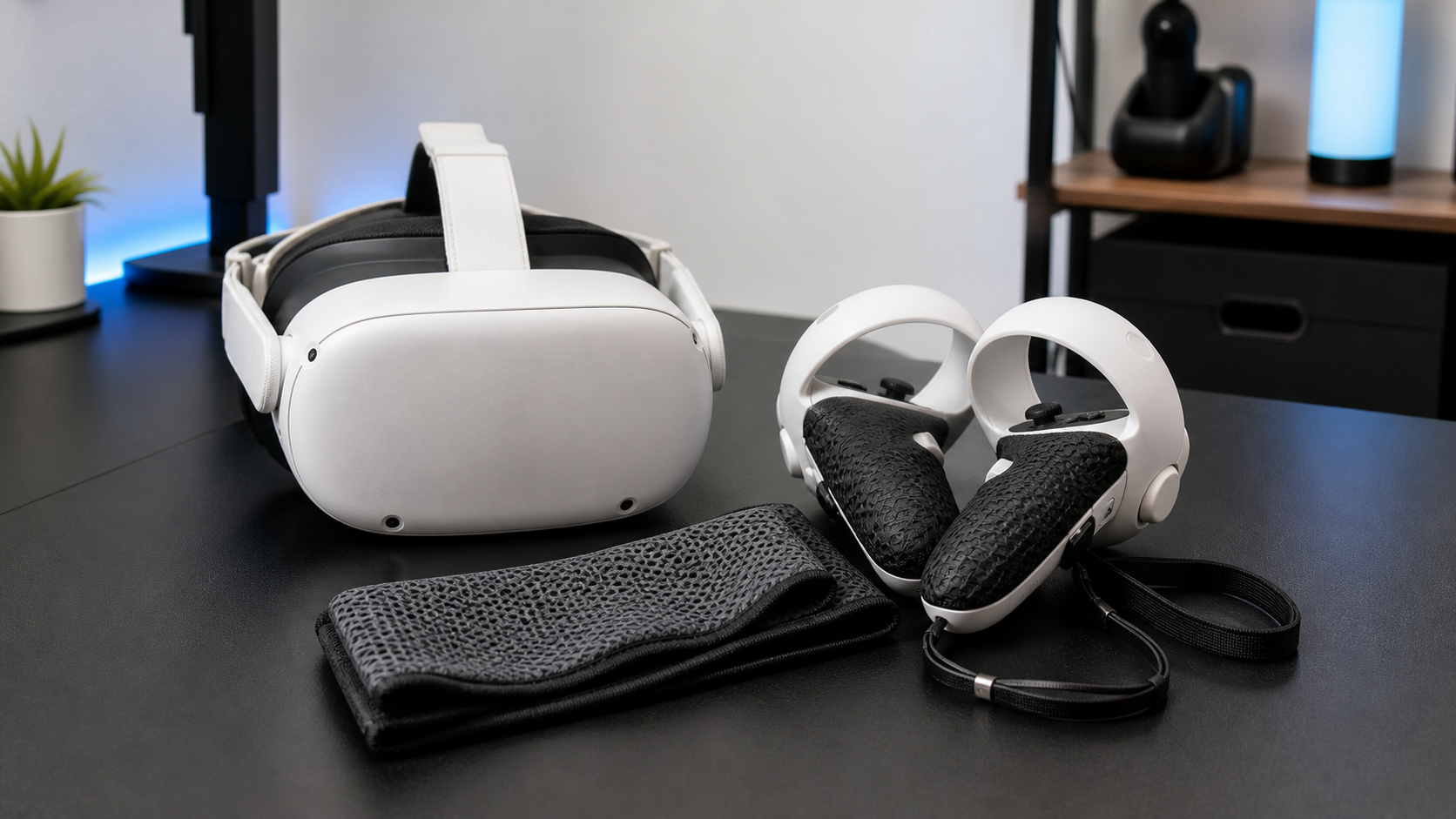
After all our testing, I asked myself what we would actually continue to use day-to-day. The answer was pretty clear. The sweat mask earned its place in our VR kit, but with a specific purpose. We will absolutely use it for any game that lasts more than 15 minutes and involves a lot of movement. It's the perfect tool for making it easy to swap the headset between my son and daughter without the gross-out factor. It keeps the headset cleaner and more hygienic.
However, the mask did feel a bit annoying for very short, casual games. For a quick five-minute experience, putting on the extra layer felt like a chore. So, for those sessions, we'll probably skip it. I'd say anyone who uses VR for serious fitness or shares their headset should get one. If you only play calm games and don't sweat much, you can probably pass.
The other accessory that became essential was the set of controller hand straps. They solved a real, painful problem for my daughter and made the controllers much more comfortable for her. They are staying on the controllers permanently. These two accessories, the mask and the grips, addressed our biggest complaints about VR fitness as a family: sweat and comfort.
Conclusion
A sweat mask works well for VR fitness, absorbing sweat and protecting the headset without hurting controller tracking. It's a must-have for families that share a single VR headset.
Leave a comment